

Companion widget
The Companion widget brings daily.dev to the article itself. When you open a post's original site,
the Companion shows up on the side of the page so you can upvote,
comment and bookmark without switching back to daily.dev.
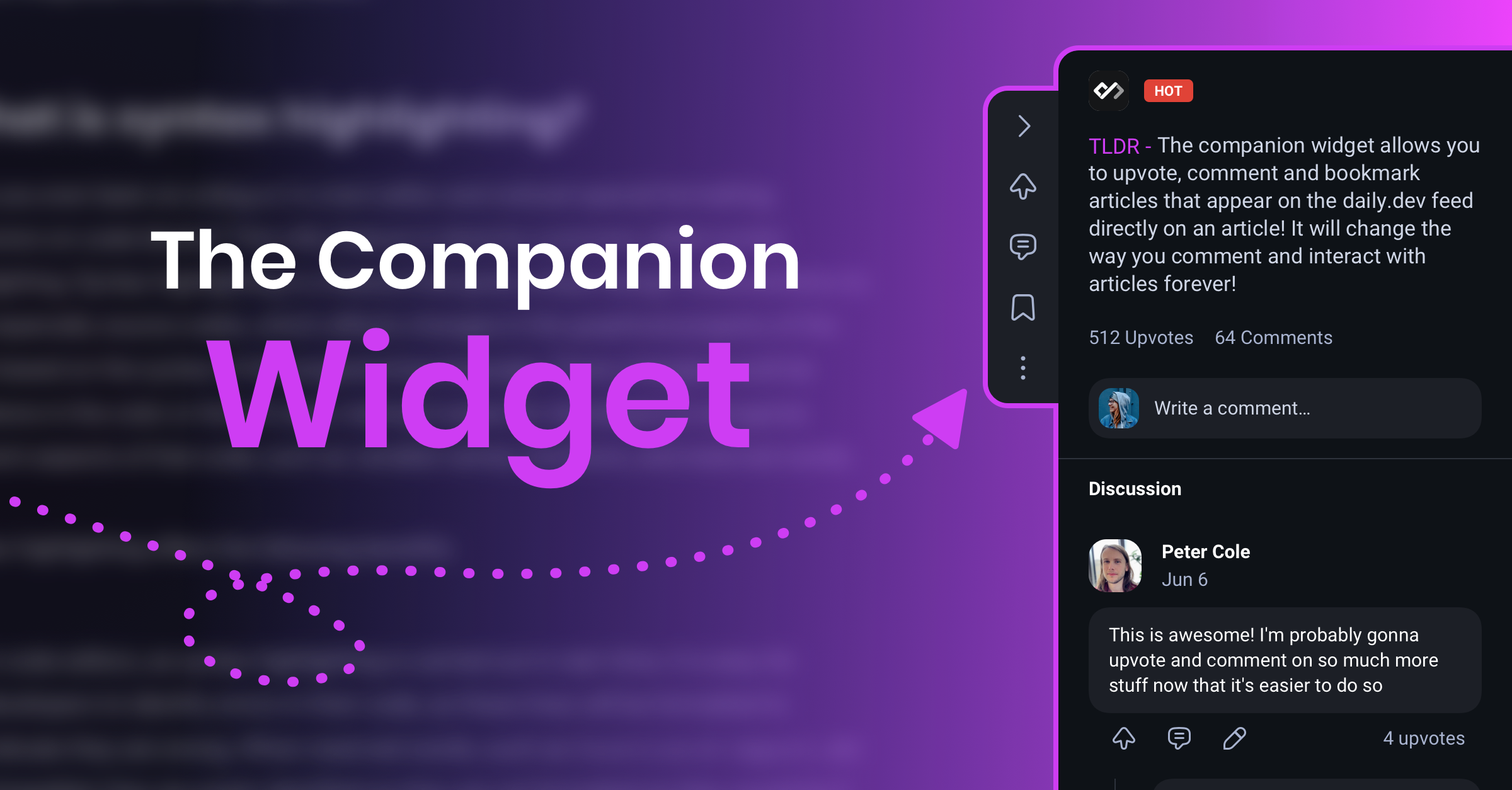
The Companion is part of the daily.dev browser extension. It is
not available in the web app or the mobile app.
Turning the Companion on
- Install the daily.dev extension.
- Make sure Show companion widget on external sites is on in Settings > Appearance
(see Appearance settings). - When the extension offers Try the new companion feature!, click Activate companion and
accept the browser permission request.
The extra permission lets the extension check whether the page you're on is a daily.dev post and
show the widget there. Without it, the Companion can't appear.
Features
The Companion is a narrow bar on the right edge of the page. You can drag it up or down to move it
out of the way. From top to bottom:
- Open summary / Close summary: expand the Companion to read the post's TLDR, see its upvote and
comment counts and read the discussion. - Upvote: upvote the post. Click again to remove your upvote.
- Add comment: write a comment. It's posted to the post's discussion on daily.dev.
- Save to bookmarks: bookmark the post. Click again to remove it.
- Share post: copy the link or share it to other apps.
- More options:
- Downvote
- View discussion: open the post page on daily.dev in a new tab
- Report: report a post that breaks the content guidelines
- Give us feedback
- Disable widget: turn the Companion off everywhere
Privacy and data usage
The Companion collects as little as possible:
- On each page load, the extension sends only the page URL to check whether it's a post on
daily.dev. - If it is, the Companion appears. Actions you take in it, such as upvotes, comments and bookmarks,
are saved to your daily.dev account like any other action. - It doesn't read the page content, and checks run once per page load, so they don't slow pages
down.
If you don't see the Companion
- The page isn't on daily.dev. The Companion only appears on articles that are posts on
daily.dev. - The setting is off. Turn on Show companion widget on external sites in
Settings > Appearance. - The permission is missing. The extension needs permission to run on the sites you visit. Check
the extension's site access in your browser's extension settings. - The extension is outdated. Update it from your browser's extension store, then refresh the
page.
Still stuck? Report a bug on
GitHub
or send us feedback from the Feedback button in the sidebar.