

Becoming a public Squad
A public Squad is open to every developer on daily.dev. Anyone can find it, join it with one click, and read its posts. It's the best way to grow a community around a topic and get your content in front of developers who are already reading daily.dev every day.
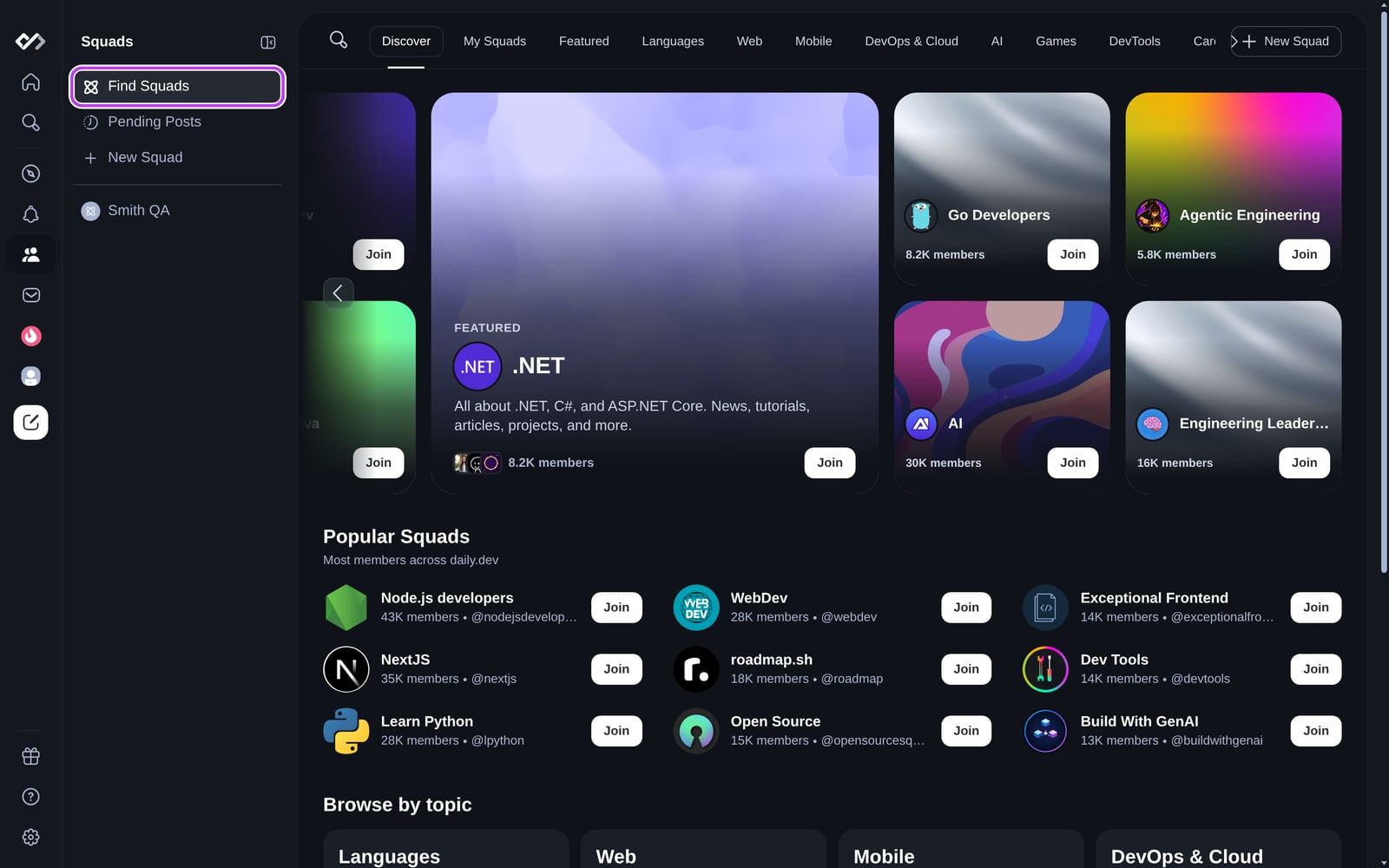
Making your Squad public
There's no review. Choose Public when you create your Squad, or later under Manage > Details, pick a category, and save. You can switch back to Private at any time.
What a public Squad gets
- A place in the Squads directory: in its category tab, in Popular Squads, and in the Similar squads card on other Squad pages.
- Search: the Squad and its posts show up in daily.dev search.
- Feed reach: its posts can appear in the main daily.dev feed.
- Open membership: anyone can join from the Squad page, no invitation needed.
- Boost: only public Squads can be boosted.
- Search engines: once it has at least 10 members, the Squad page can be indexed by search engines. On a daily.dev for Startups plan, it is indexed from day one.
When your Squad shows up
Making a Squad public doesn't put it in the directory straight away. It's listed, searchable, and eligible for the main feed once it has:
- a real image (not the default placeholder), and
- a description, and
- either at least 3 members and 3 posts, or an admin with at least 250 reputation.
The check runs every few minutes, and once a Squad qualifies it stays listed. Until then, the Squad still works normally: people with the link can join, and posts show in the Squad's own feed. Verified Company Squads are listed from day one, but still need an image and a description. Squads on a daily.dev for Startups plan are also listed from day one.
Public Squads for startups
Building a startup whose users are developers? A daily.dev for Startups plan turns your public Squad into a company page, without waiting for members, posts or reputation:
- Listed and indexed from day one: in the Squads directory and search, and on Google and in AI answers.
- A link to your site and your product on the page.
- Weekly intel on what developers in your space read.
- Your coding agent runs it: post, boost and read analytics from Claude Code, Codex, Cursor or any MCP client. See Agent skills for Startups.
- Boost credits every month to boost your posts and your page.
Plans start at $49 a month, billed monthly, and are self-serve at daily.dev/startups. Getting started takes a few minutes.
Choosing a category
Each category has its own tab in the directory, so pick the one your audience would look in. A Squad without a category doesn't appear on any category page.
| Category | What it's for | Examples |
|---|---|---|
| Languages | Squads about a specific programming language. | JavaScript, Python, Rust |
| Web | Web development, front end and back end. | React, Tailwind, Node.js |
| Mobile | Mobile apps and their frameworks. | Flutter, Swift, Kotlin |
| DevOps & Cloud | DevOps practices, cloud platforms, and CI/CD. | Kubernetes, AWS, Terraform |
| AI | AI, machine learning, and data science. | LLMs, agents, TensorFlow |
| Games | Game development, engines, and design. | Unity, Unreal Engine, indie games |
| DevTools | Squads by or for developer tools. | GitHub Actions, Postman, Sentry |
| Career | Career growth, leadership, and mentorship. | Job search, moving into management |
| Open Source | Open source projects and contributing. | Maintainers, OSS best practices |
| DevRel | Developer relations and community building. | Community management, advocacy |
| Fun | Everything else developers enjoy. | Programming jokes, off-topic chat |
Within a category, Verified Company Squads are listed first.
Getting featured
The daily.dev team picks a set of public Squads to feature. Featured Squads get:
- a spot in the Featured rail at the top of the directory and on the Featured tab,
- a blue Featured Squad card at the top of the Squad page sidebar.
Admins and moderators get a notification when their Squad is featured. A featured Squad is shown on the Featured tab instead of in Popular Squads and its category, so don't worry if it moves.
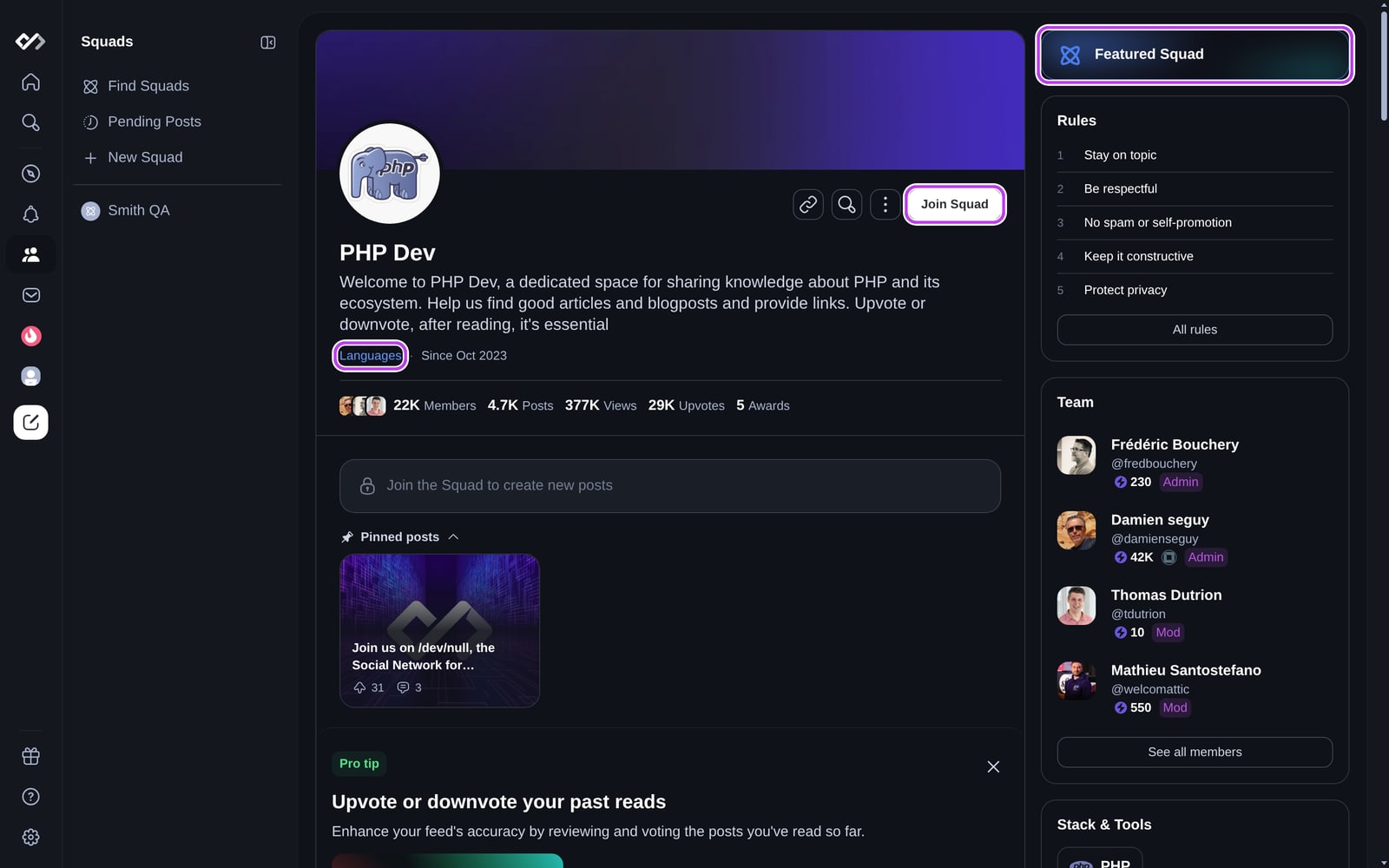
There's no application. What the team looks for:
- A clear identity: an eye-catching image, a cover image, a description that says what the Squad is about, and the right category.
- Regular, quality posts: tutorials, articles, discussions, and polls that fit the topic. Approve only posts that meet your rules.
- Engagement: members who post and comment, and admins who reply.
- Growth: invite developers who would get value from the Squad, promote it in your own channels or Slack workspace, and consider a Squad boost.
- Compliance: follow the content guidelines and keep the Squad free of spam. See Moderating your Squad.
Questions about the directory or featuring? Contact hi@daily.dev.
Reporting a Squad
To report a Squad that breaks the rules, open its options menu and choose Report Squad. The daily.dev moderation team reviews every report.
Building a startup? See daily.dev for Startups. Running a Squad for a larger company? A Verified Company Squad is listed from day one, ranks ahead of regular Squads, and can show your links and products with no ads. To grow any Squad, see Growing your Squad.