

Advanced Custom Feeds
Table of Contents
Custom feeds let you build extra feeds next to your For You feed, each focused on a topic, a tool or a workflow. Every custom feed appears as a tab above your feed, so you can switch between them in one click.
Anyone can create custom feeds and choose their tags. Advanced custom feeds are part of daily.dev Plus: with Plus you can fine-tune every feed with its own sources, content types, sorting and filters, and set one as your default.
For quick tag shortcuts above your feed, see Chips.
Creating a custom feed
- Click the + (New custom feed) next to the feed tabs at the top of your feed (1).
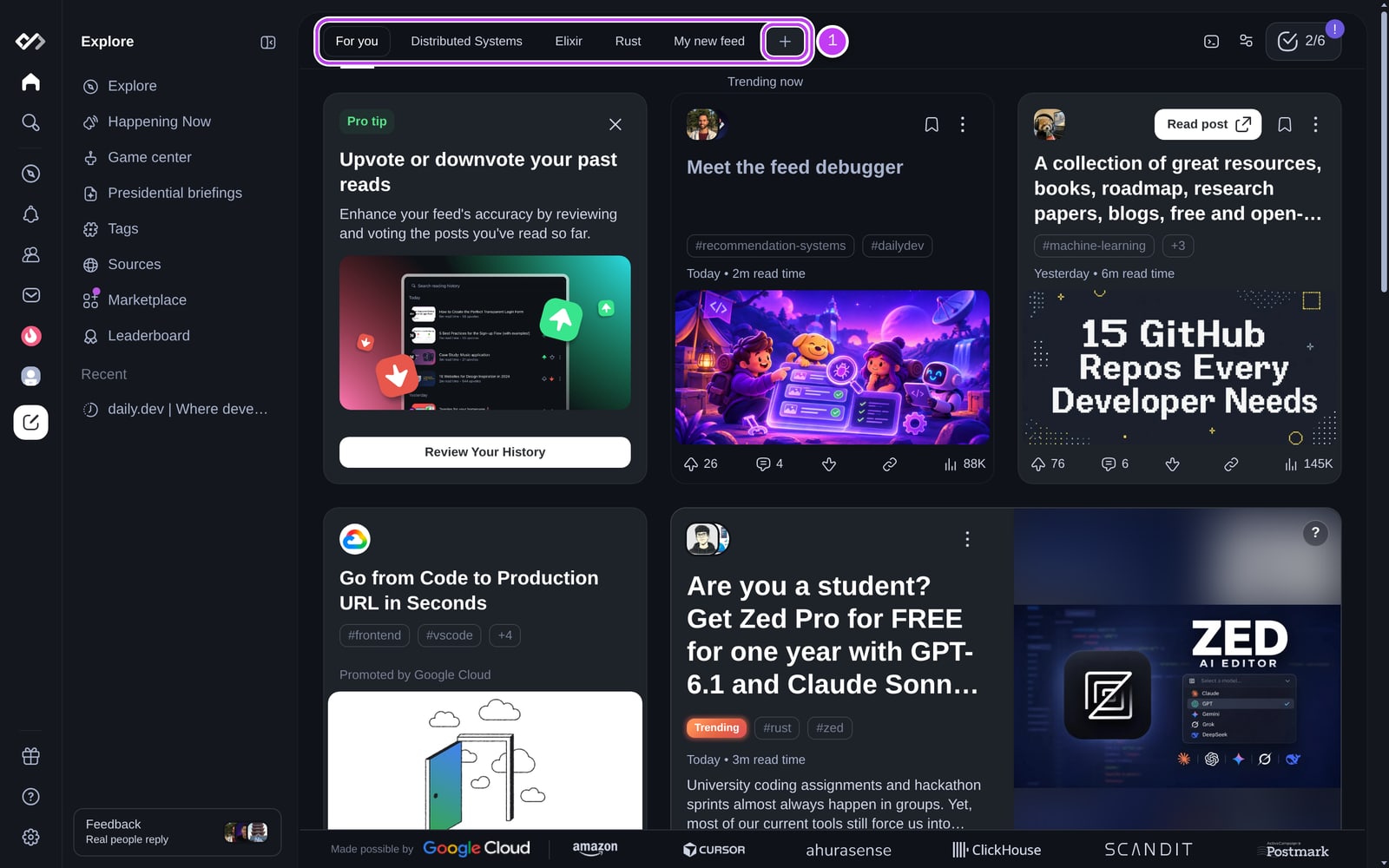
- A new feed (called "My new feed") is created and its settings open. In General, give it a name (up to 50 characters) and, optionally, an emoji icon.
- Open Tags and follow the tags you want in this feed.
- Click Save.
You can also add a source, tag or user to a custom feed from their page: open the page's ⋯ menu and choose Add to custom feed, then pick an existing feed or create a new one.
You can have up to 35 feeds.
Feed settings
To edit a custom feed, open it and click the feed settings button at the top right, or open the tab's menu. The settings are split into sections:
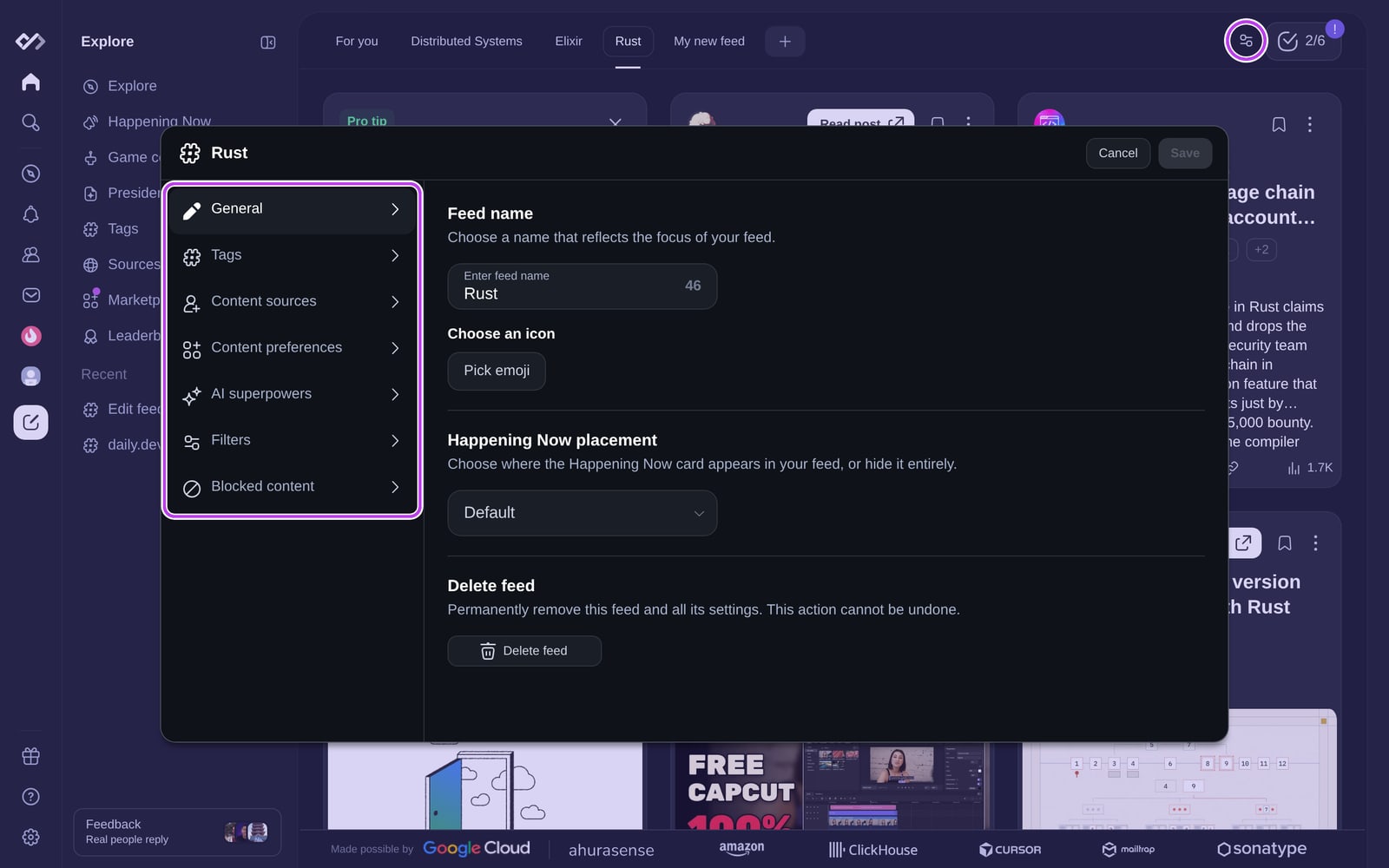
| Section | What you can set | Plan |
|---|---|---|
| General | Name, icon, where the Happening Now card appears (Default, Pin to top or Disabled), Make default, and Delete feed | Free (Make default is Plus) |
| Tags | The tags this feed follows | Free |
| Content sources | Sources, Squads and users to follow in this feed | Plus |
| Content preferences | Content types (videos, polls, social posts, articles) and post types | Plus |
| AI superpowers | Clickbait Shield and auto-translate. These apply to all your feeds, not just this one | Plus |
| Filters | Default sorting, time range, minimum upvotes and views, and whether to include posts you've interacted with before | Plus |
| Blocked content | Blocked words and blocked sources, Squads, users and tags for this feed | Plus |
Filters (Plus)
- Set default sorting: Recommended, Date, Upvotes, Downvotes, Comments or Clicks.
- Filter by time range: All time, Past 24 hours, Past week or Past month.
- Set content thresholds: a minimum number of upvotes and views a post needs to appear.
- Include posts I've interacted with before: by default, posts you've already engaged with are left out.
Make a custom feed your default (Plus)
In General, click Make default to open daily.dev on this feed instead of For You.
Deleting a custom feed
In General, click Delete feed. This removes the feed and all its settings and can't be undone.
Custom feeds in the API
With Plus, your custom feeds are available through the Public API, so you can pull a focused, filtered feed into your coding agent, a Slack bot or your own dashboard.