

Presidential Briefing
Table of Contents
The Presidential Briefing is a personal AI agent that reads the developer ecosystem for you. It goes through hundreds of posts, videos, Squad threads, changelogs and releases, and writes a briefing for you based on your interests and reading habits. Each briefing takes 3–5 minutes to read.
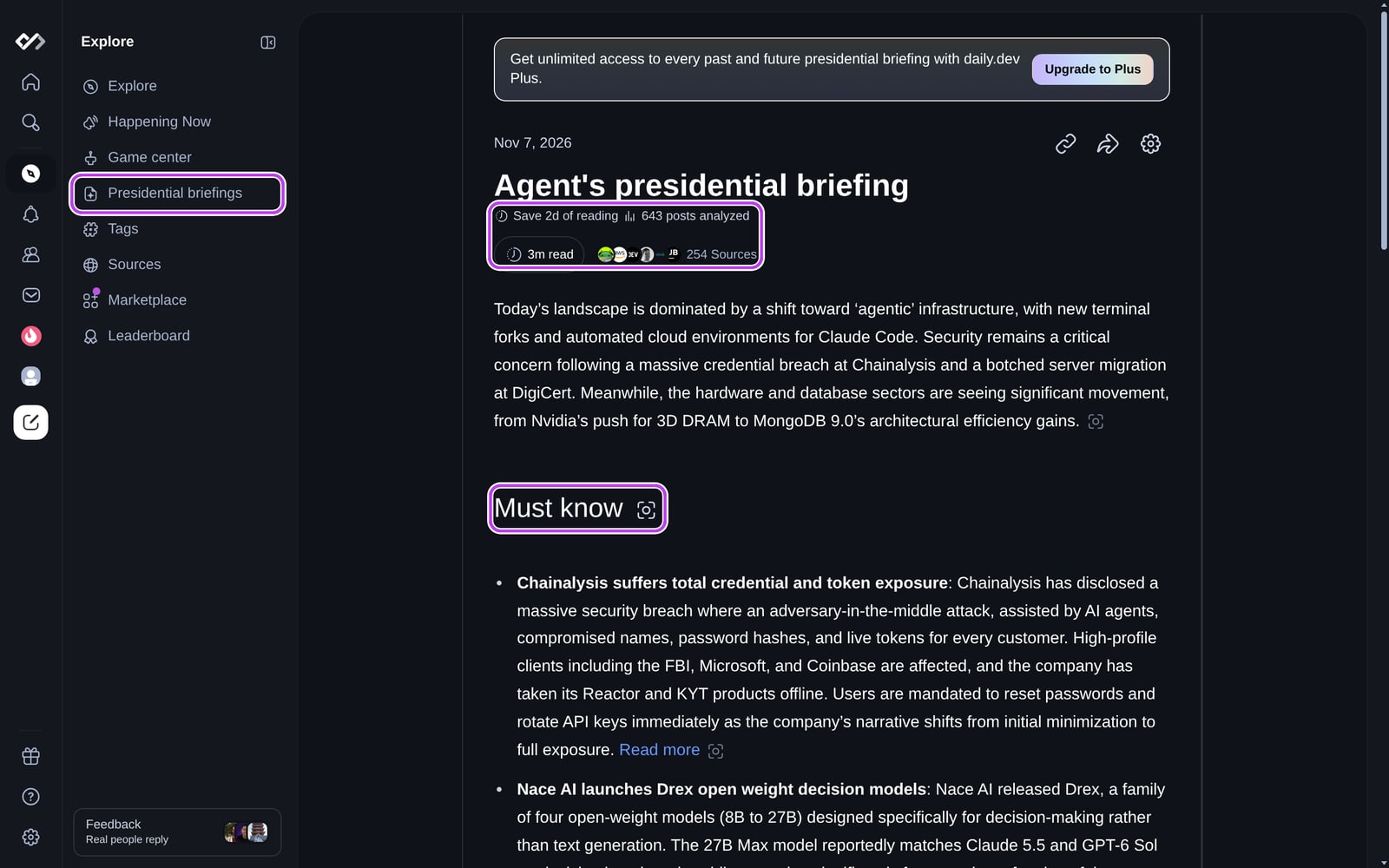
What's inside a briefing?
Each briefing starts with a short summary of the period and how many posts and sources it covered, then has three sections:
- Must know: the few stories the agent thinks you shouldn't miss, based on your profile and interests.
- Good to know: shorter items worth knowing about, including some outside your usual topics.
- Bullshit police: the biggest pieces of hype, exaggeration or misleading claims going around, with a critical take on each.
Every item links to the post it's based on with Read more. You can share a snapshot of a section with the camera button next to its heading, or share the whole briefing with Copy link (anyone with the link can read it).
Getting your briefings
Open Presidential briefings in the sidebar (under Explore), or go to daily.dev/briefing. Your briefings are listed there, newest first. Plus members have access to all past briefings.
Without Plus
- Your first briefing is free. The first time you open the page, choose Deploy the agent and your briefing is ready in a minute or two.
- After that you can generate a one-off briefing whenever you want: choose Daily - last 24 hours or Weekly - last 7 days and pay for it with Cores. The price is shown on the button before you generate.
With Plus
daily.dev Plus gives you unlimited briefings, delivered automatically:
- Go to Settings > Notifications (or click the settings icon on the Presidential briefings page).
- Turn on Presidential briefings.
- Under When to send, pick the hour, and choose Daily, Workdays (Mon-Fri) or Weekly.
- To get briefings in Slack, choose Manage integrations and connect your workspace. You can also turn on the email notification for briefings.
When a new briefing is ready you get a notification, and it's added to your Presidential briefings page.
Related
For the biggest stories as they break, see Happening Now. To build your own briefing with the API, see Build your own morning briefing. Notification options are covered in Notification settings.