

Bookmarks
Overview
Bookmarks on daily.dev allow you to save and organize posts for later reading, helping you manage valuable content at your own pace.
Benefits of bookmarks
- Save for Later: Bookmark posts you can’t read immediately and access them when convenient.
- Organize Reading List: Categorize posts by interest, preference, or need using folders or tags for easy sorting.
- Sync Across Devices: Bookmarks on daily.dev sync across all devices linked to your account, enabling seamless reading transitions.
- Personalized Content: Create a tailored reading list with bookmarks relevant to your interests, enhancing focus and professional growth.
Bookmarking a post
- Via Bookmarks Button: Click the bookmark button on the post.
- Companion Widget: Use the bookmark icon in the companion widget for quick saving.
- Post Discussion Page: On the action bar of the post discussion page, click the bookmark button.
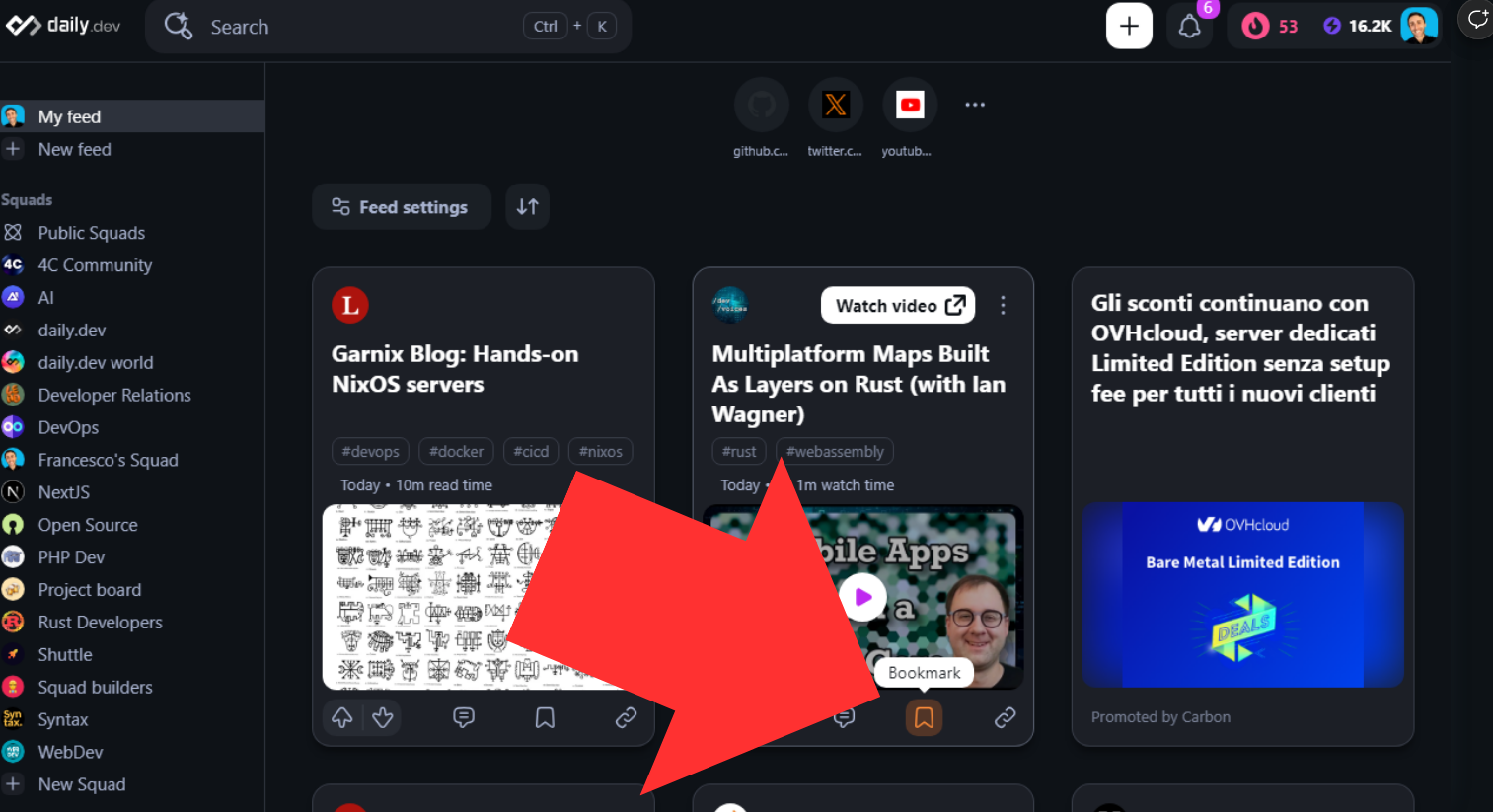
These methods ensure a seamless bookmarking experience in daily.dev.
Bookmark reminder
Once you bookmark a post, you may see it in your feed as a reminder to read it.
Syncing across devices
To sync bookmarks, simply log in with the same account on all your devices.
Public Mode for bookmarks
Public Mode creates a public RSS feed of your bookmarks for easy sharing or integration. For instance, you can integrate bookmarks with your GitHub README. Follow the tutorial below to set it up.
[Tutorial] share bookmarks on GitHub
Integrating daily.dev bookmarks with GitHub
- In the bookmarks section, choose Share Bookmarks.
- Activate Public Mode and copy the RSS feed link.
- On GitHub, create a repository with the same name as your account.
- Create a
.githubfolder, then add aworkflowsfolder within it. - Add a file named
daily.dev-bookmarks.ymlwith the following content:
name: daily.dev Bookmarks
on:
schedule:
# Runs every hour
- cron: '0 * * * *'
workflow_dispatch:
jobs:
daily-dev-bookmarks:
name: Update this repo's README with latest bookmarks from daily.dev
runs-on: ubuntu-latest
steps:
- uses: actions/checkout@v4
- uses: gautamkrishnar/blog-post-workflow@master
with:
comment_tag_name: "daily.dev BOOKMARKS"
feed_list: "<YOUR BOOKMARKS RSS FEED LINK HERE>"
**Important:** You need to replace the `<YOUR BOOKMARKS RSS FEED LINK HERE>` with your own RSS feed.
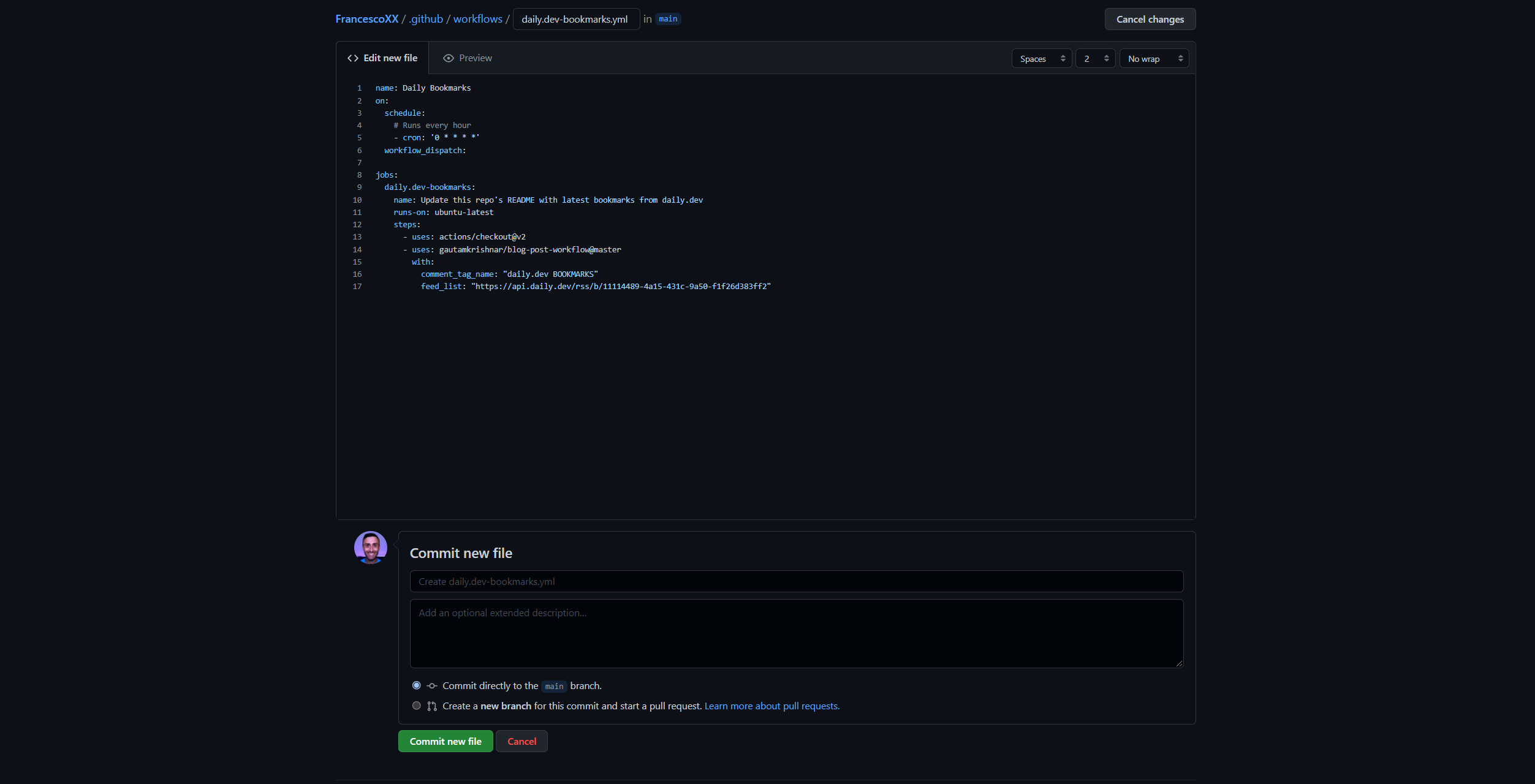
- Commit the `daily.dev-bookmarks.yml` file. Your file should look like this:
- Open the `README.md` file in your profile repository (this repository should be named the same as your GitHub account).
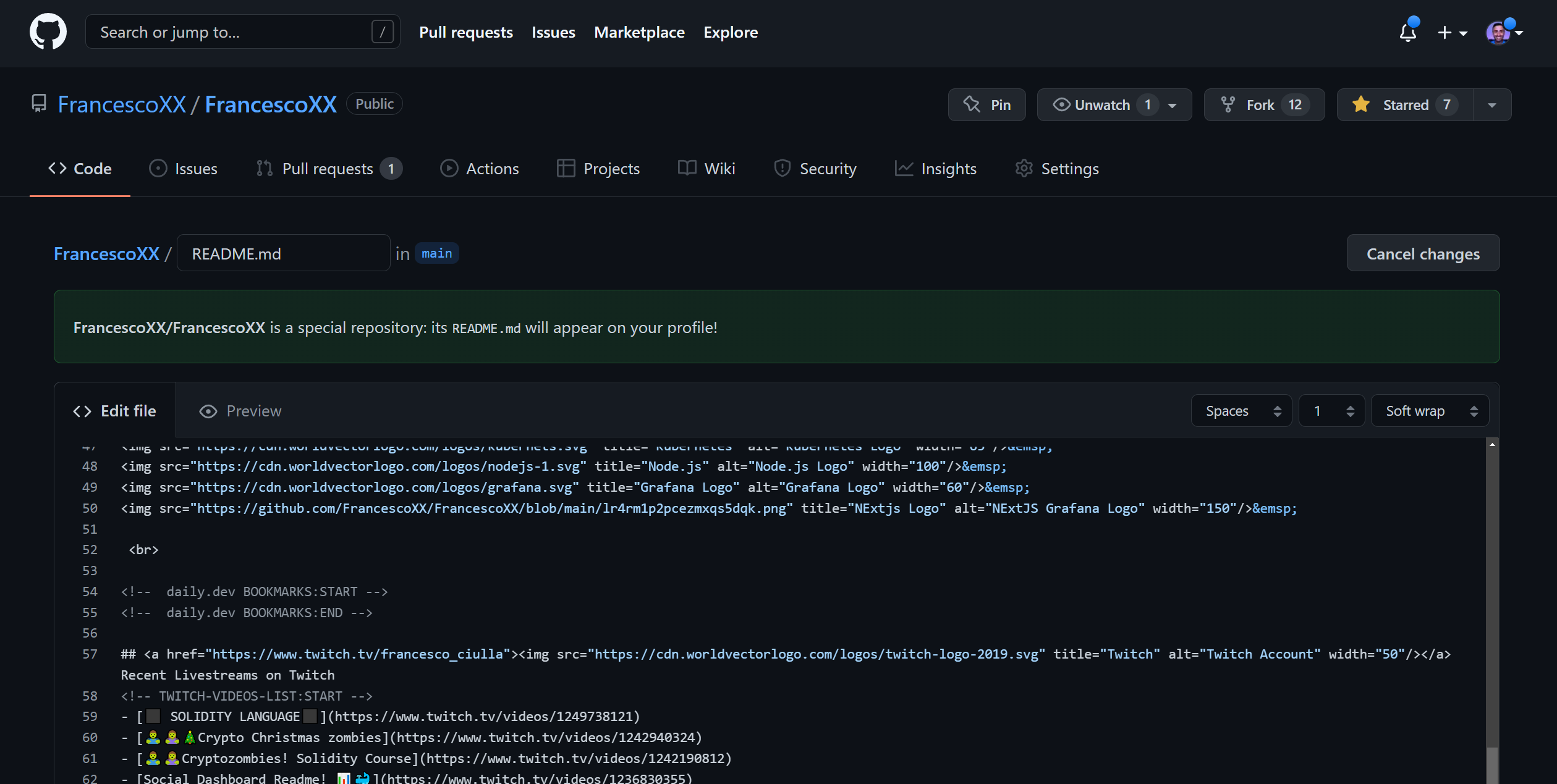
- Add these lines at the end of the `README.md` file:
```markdown
<!-- daily.dev BOOKMARKS:START -->
<!-- daily.dev BOOKMARKS:END -->
Commit the Readme.md file
Check if the README file has been updated
Run the workflow
daily-dev-bookmarks
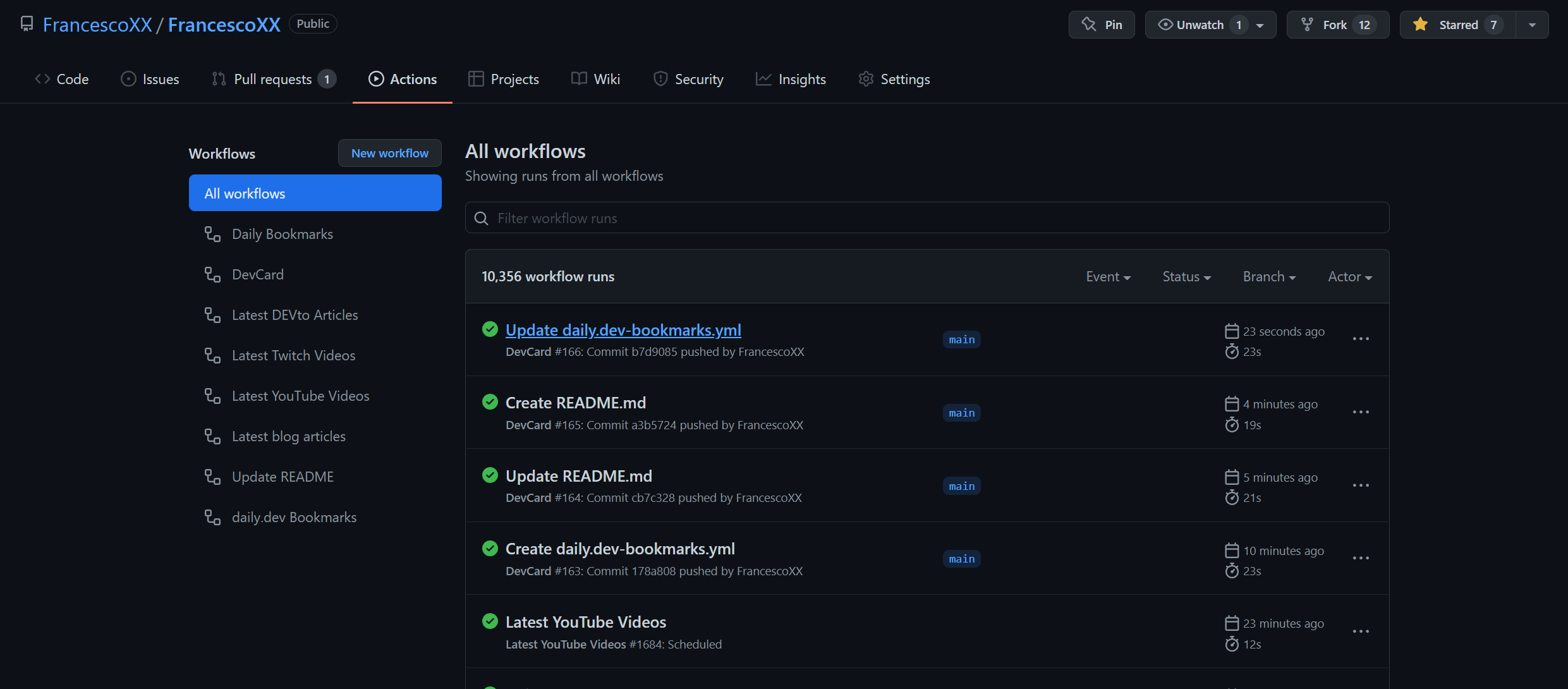
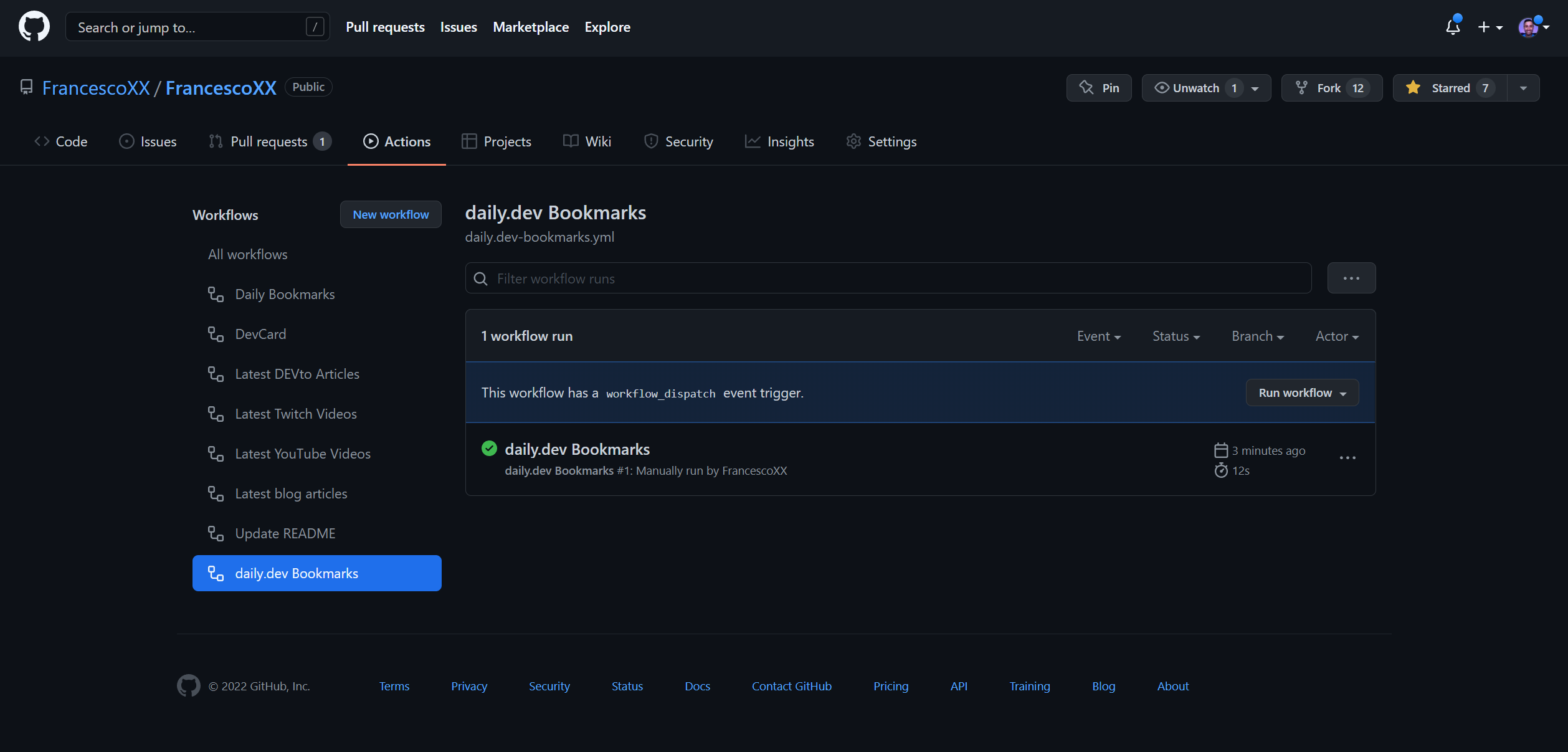
The GitHub action is set to run every hour. You can adjust the frequency by modifying the cron setting in the daily.dev-bookmarks.yml file.

Congratulations! Your daily.dev bookmarks are now integrated with GitHub.