

Bookmark Folders
Table of Contents
Bookmark Folders let you sort your saved posts into folders, so you can find them again without scrolling through one long list of bookmarks. Bookmark Folders are part of daily.dev Plus.
Creating a folder
- In the sidebar, open You and click New folder under Bookmarks (1).
- Give your folder a name (up to 50 characters) (2).
- Optionally, choose an emoji in Choose an icon (3).
- Click Create folder (4). Without Plus, this button reads Upgrade to plus.
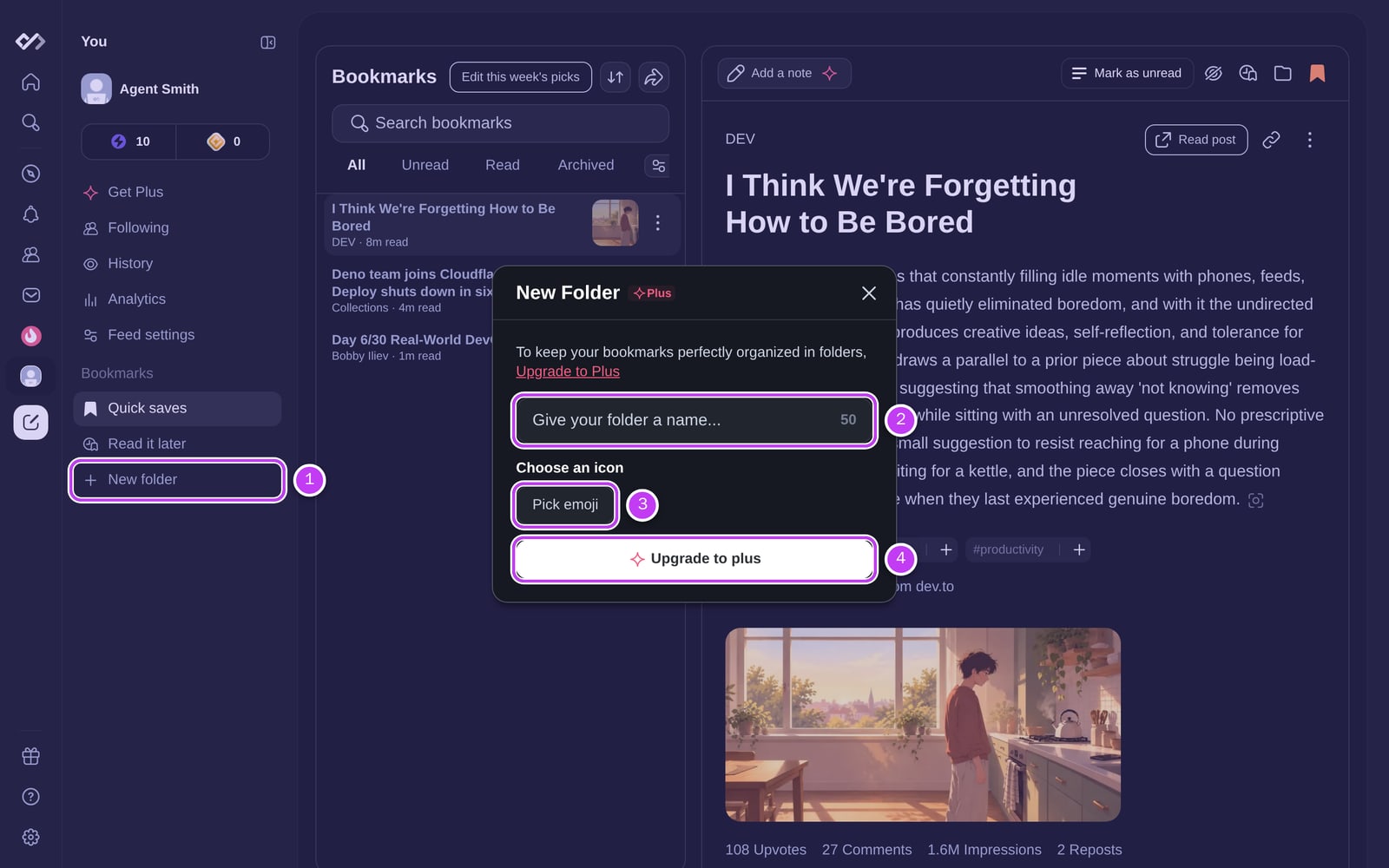
You can create up to 50 folders. Your folders are listed in the sidebar under Bookmarks, below Quick saves and Read it later.
Saving to a folder
- New bookmarks are saved to the folder you used last. Bookmarks that aren't in a folder are in Quick saves.
- Right after you bookmark a post, the confirmation message shows where it was saved. Click Change folder to pick another one.
- To move a bookmark later, open its ⋯ menu (or the post's menu) and choose Move to folder, then pick a folder or create a New folder.
Managing folders
Open a folder and use its options menu (⋯):
- Rename Folder: change the name or the emoji.
- Delete Folder: deletes the folder and all bookmarks in it. You're asked to confirm first, and it can't be undone.
Inside a folder you can search, filter and sort your bookmarks the same way as on the Bookmarks page.
Without Plus
Free accounts keep all their bookmarks in one list. Clicking New folder shows the folder form with an Upgrade to plus button.
You can also read and organize your bookmarks with your own tools through the Public API (see Organize your daily.dev bookmarks).
Frequently asked questions
Bookmark Folders let you sort your saved posts into named folders (for example 'React deep dives' or 'Interview prep') instead of one long list. Each folder has a name and an optional emoji.
Spotted something to fix? Contact us