

Blocking and report
When there's a tag, source, Squad, or person you never want to see, block it. To mute specific words in titles, Plus members can use Keyword Filters. To block a developer, see also following and blocking users.
Blocking from a post
The fastest way to block something is from a post you don't want to see:
- Open the post menu (⋮) on the post card (1). On desktop, hover the card to show it.
- Choose what to block (2):
- Block followed by the source name, to hide all posts from that source.
- Block followed by the author's name, to hide posts by that user.
- Block #tag, to hide all posts with that tag. Each of the post's tags has its own option.
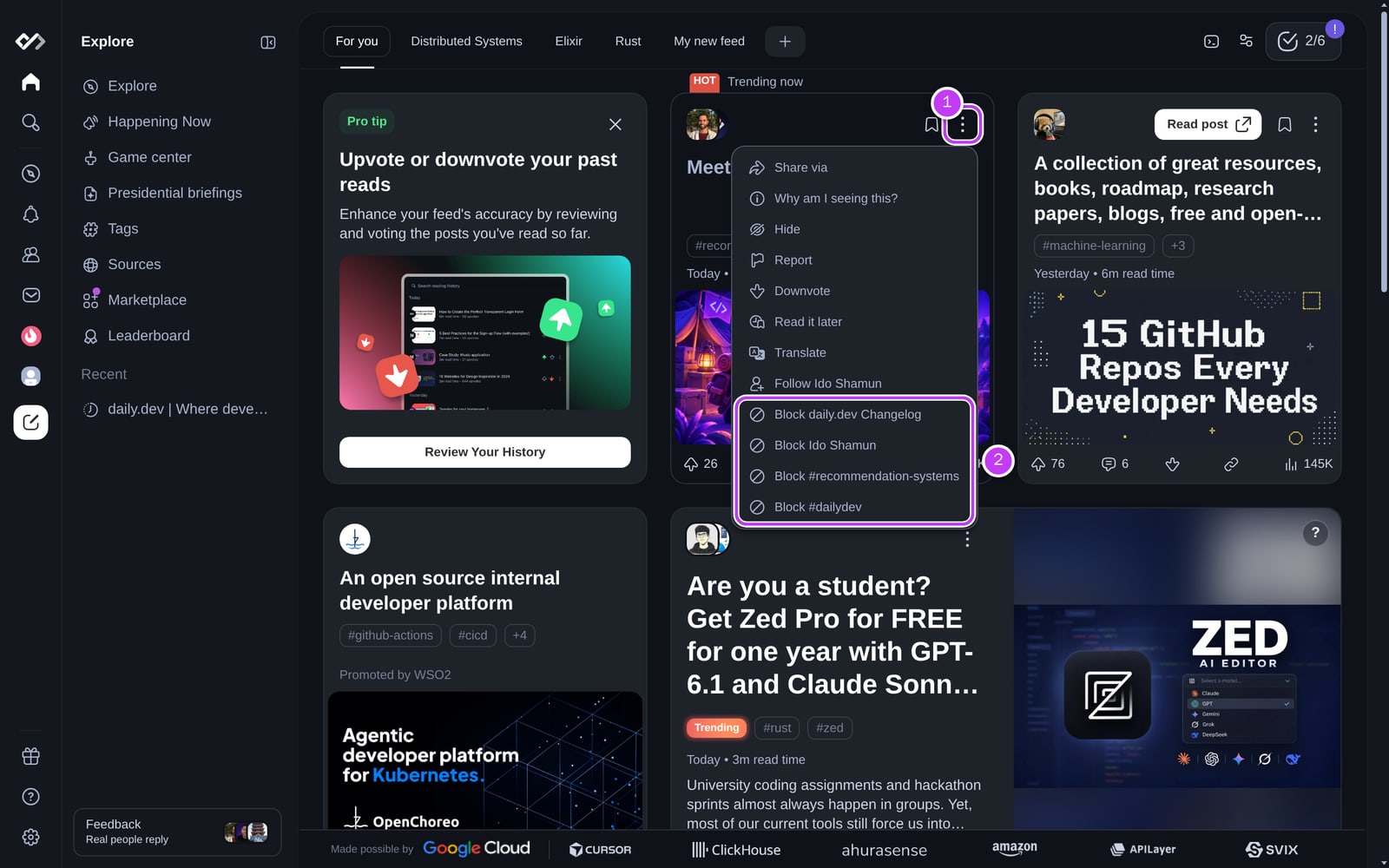
The post disappears from your feed and a toast confirms the block. Click Undo in the toast to reverse it.
Can't find a post from the tag or source you want to block? Use search, or block it directly from settings as described below.
Managing your blocks
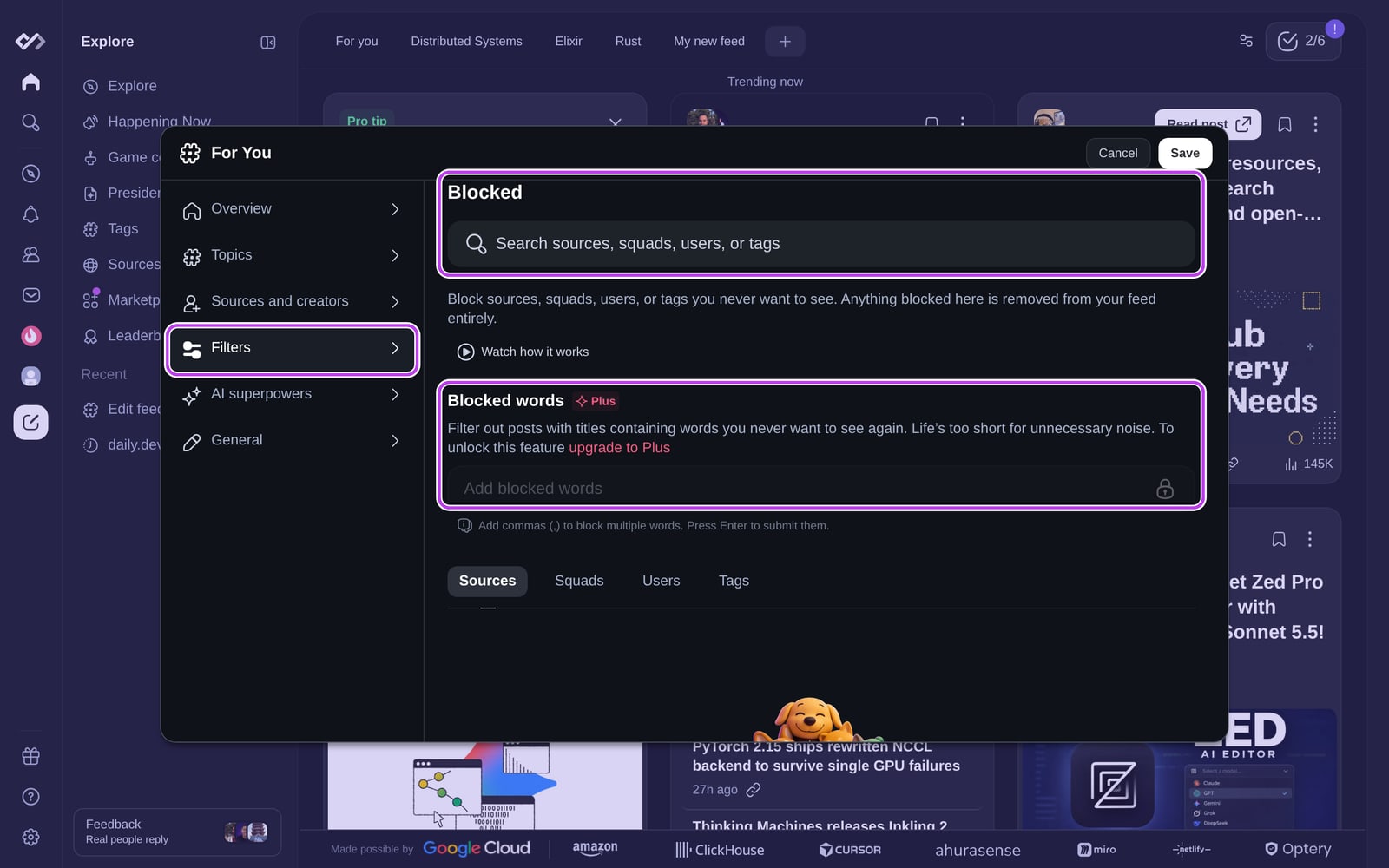
Everything you've blocked lives in Feed settings > Filters, in the Blocked section:
- Use the search box to find and block any source, Squad, user, or tag.
- Switch between the Sources, Squads, Users, and Tags tabs to see what you've blocked, and unblock anything you want back.
- With Plus, add Blocked words to hide posts with those words in the title. See Keyword Filters.
How blocking works
- A block beats a follow. Posts with a blocked tag are hidden even if they also have a tag you follow.
- Your For you feed and Explore. Blocks you set from your main feed apply to For you and to the popular Explore feed. They don't filter the most upvoted and most discussed lists.
- Custom feeds have their own blocks. In a custom feed or chip, the post menu says Remove ... from this feed instead of Block, and it only affects that feed.
- Unblocking is instant. Once you unblock something, its posts can show up in your feed again.
| Tag A | Tag B | Will you see the post? |
|---|---|---|
| Following | Following | ✅ Yes |
| Following | Not following | ✅ Yes |
| Not following | Not following | Maybe, if For you learned you like it from your reading |
| Following | Blocked | ❌ No |
| Not following | Blocked | ❌ No |
Hiding a single post
If you just don't want to see one post again, choose Hide in the post menu instead of blocking anything.
Reporting a post
If a post breaks the content guidelines, report it:
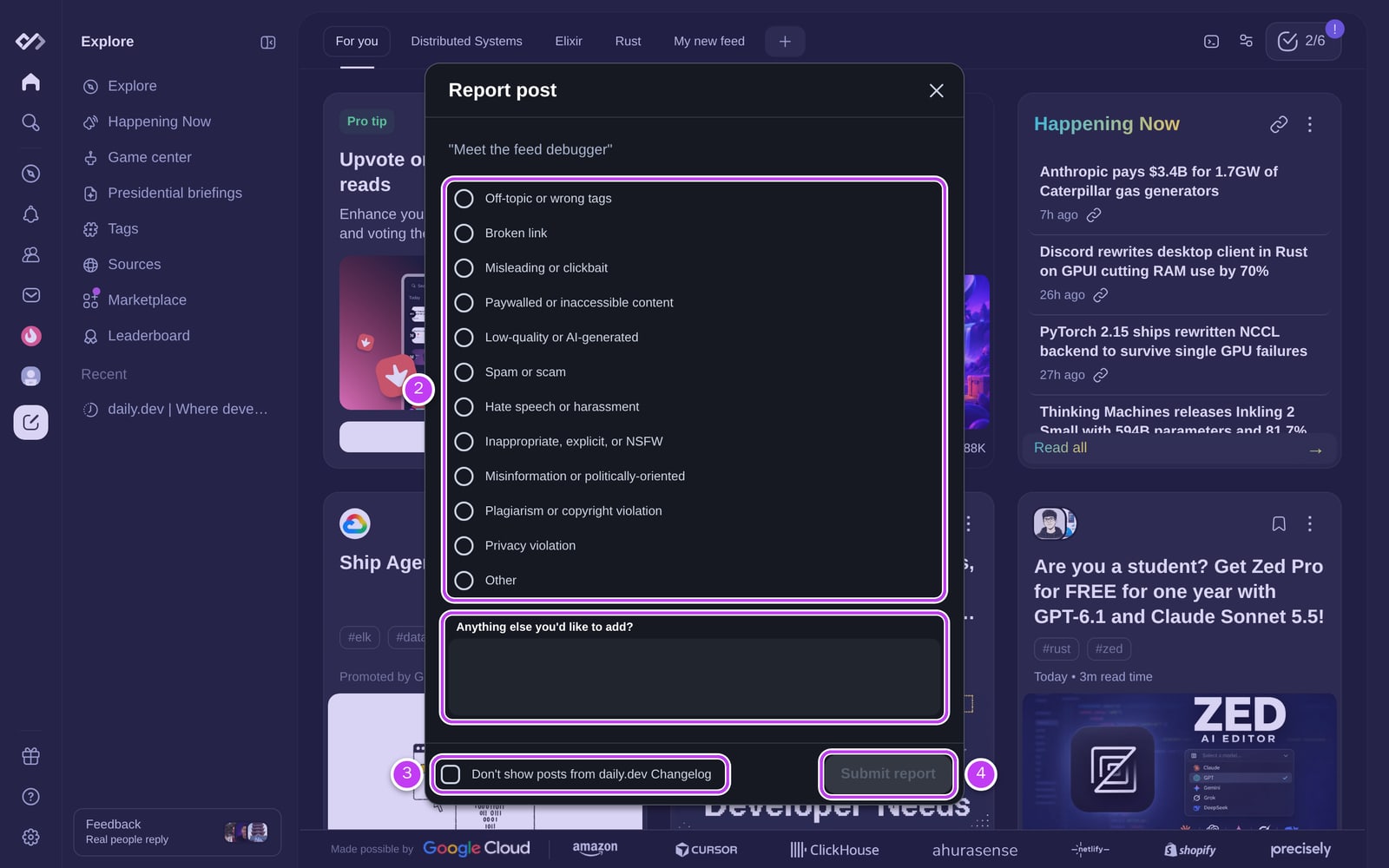
- Open the post menu (⋮) and choose Report.
- Pick a reason (2), such as Broken link, Misleading or clickbait, Low-quality or AI-generated, or Spam or scam.
- Optionally add more details, and check Don't show posts from the source if you also want to block it (3).
- Click Submit report (4).
The daily.dev team reviews every report. Learn more about how we moderate content.