

Keyword Filters
Table of Contents
Keyword Filters (called Blocked words in your settings) hide posts whose titles contain words or phrases you choose. Use them to mute topics, products or buzzwords you're tired of seeing. Keyword Filters are part of daily.dev Plus.
Blocking words
- Go to Settings > Feed settings > Filters (1), and scroll to Blocked words under Blocked.
- Type a word or phrase in Add blocked words (2) and press Enter.
- To add several at once, separate them with commas.
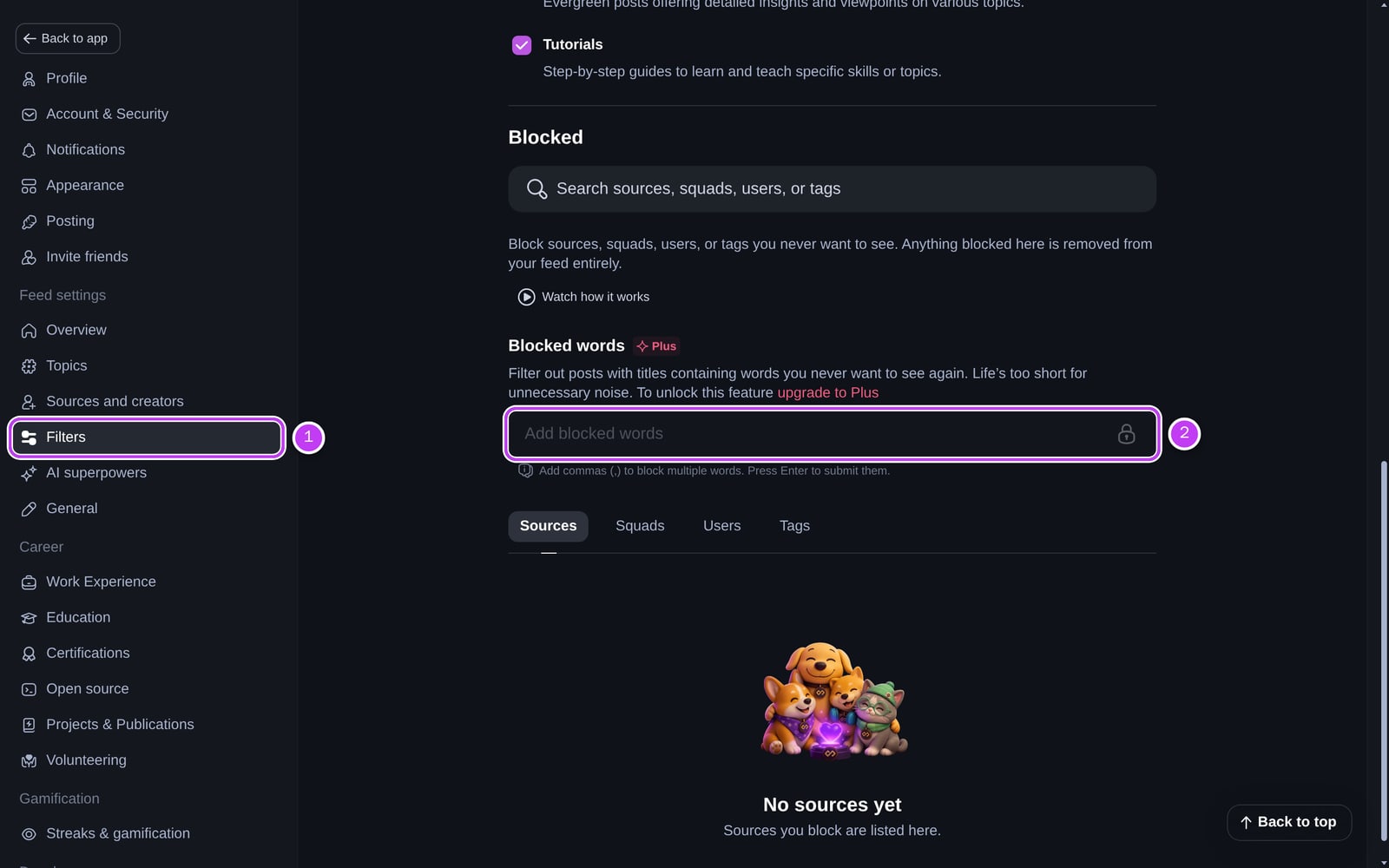
Your blocked words appear as a list below the field. To remove one, hover over it and click the ×.
Without Plus, the field is locked and shows an upgrade link.
Blocked words in custom feeds
Each custom feed has its own blocked words. Open the feed's settings, go to Blocked content, and add words there.
Related
- To hide whole tags, sources, Squads or users, see Blocking and reporting. That's available on every account.
- For misleading titles rather than unwanted topics, use Clickbait Shield.
Frequently asked questions
Keyword Filters (Blocked words) hide posts whose titles contain words or phrases you choose. Useful for topics, products or buzzwords you never want to see.
Spotted something to fix? Contact us