

Clickbait Shield

Clickbait Shield uses AI to rewrite post titles that are clickbait, unclear or overly promotional. The new title says what the post is actually about, so you can decide whether it's worth reading before you open it. It's part of daily.dev Plus, and free accounts can try it a few times a month.
How it works
When a post is added to daily.dev, its title is checked for common problems: clickbait, missing information, exaggeration and promotional language. Posts with a flagged title show a shield icon next to the title, on post cards and on the post page.
The optimized title:
- Matches what the post actually covers
- Is clear and to the point
- Leaves out hype and sales language
Titles that aren't flagged are never changed.
Turning on Clickbait Shield (Plus)
- Go to Settings > Feed settings > AI superpowers (1).
- Turn on Optimize title quality under Clickbait Shield (2).
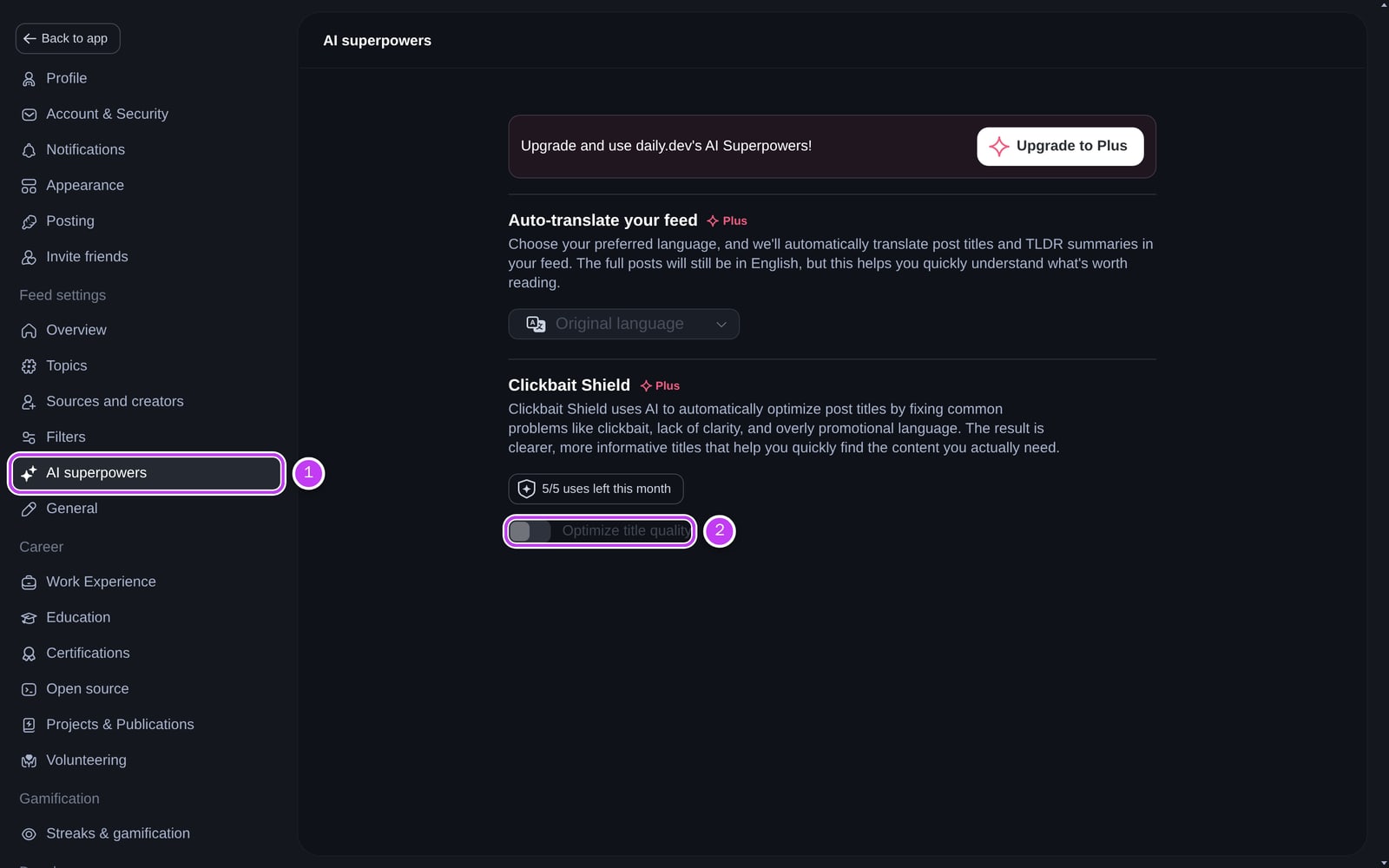
From then on, every flagged title in your feeds is shown in its optimized version. The setting applies to all your feeds, including your custom feeds.
Comparing with the original title
Click the shield icon on a post to switch between the optimized title and the original one. A green check on the shield means you're seeing the optimized title. On the post page you'll also see This title was optimized with Clickbait Shield.
Trying it without Plus
Without Plus you can optimize 5 titles a month. Click the shield icon on a flagged post (or Try out Clickbait Shield on the post page) to rewrite that one title. The number of uses left is shown in the tooltip and in AI superpowers. When you've used them all, you can turn on Clickbait Shield for your whole feed by upgrading to Plus.
| Free | Plus | |
|---|---|---|
| Optimize a title on demand | 5 per month | Unlimited |
| Optimized titles across your whole feed | ❌ | ✅ |
| Switch between optimized and original title | ✅ | ✅ |
To cut more noise from your feed, pair Clickbait Shield with Keyword Filters.