

Profile page & activity
Your profile is your public page on daily.dev, at daily.dev/<your-username>. It shows who you are, what you read, what you post, and what you've achieved. Open it from Your profile in the profile menu, or from the You panel in the sidebar.
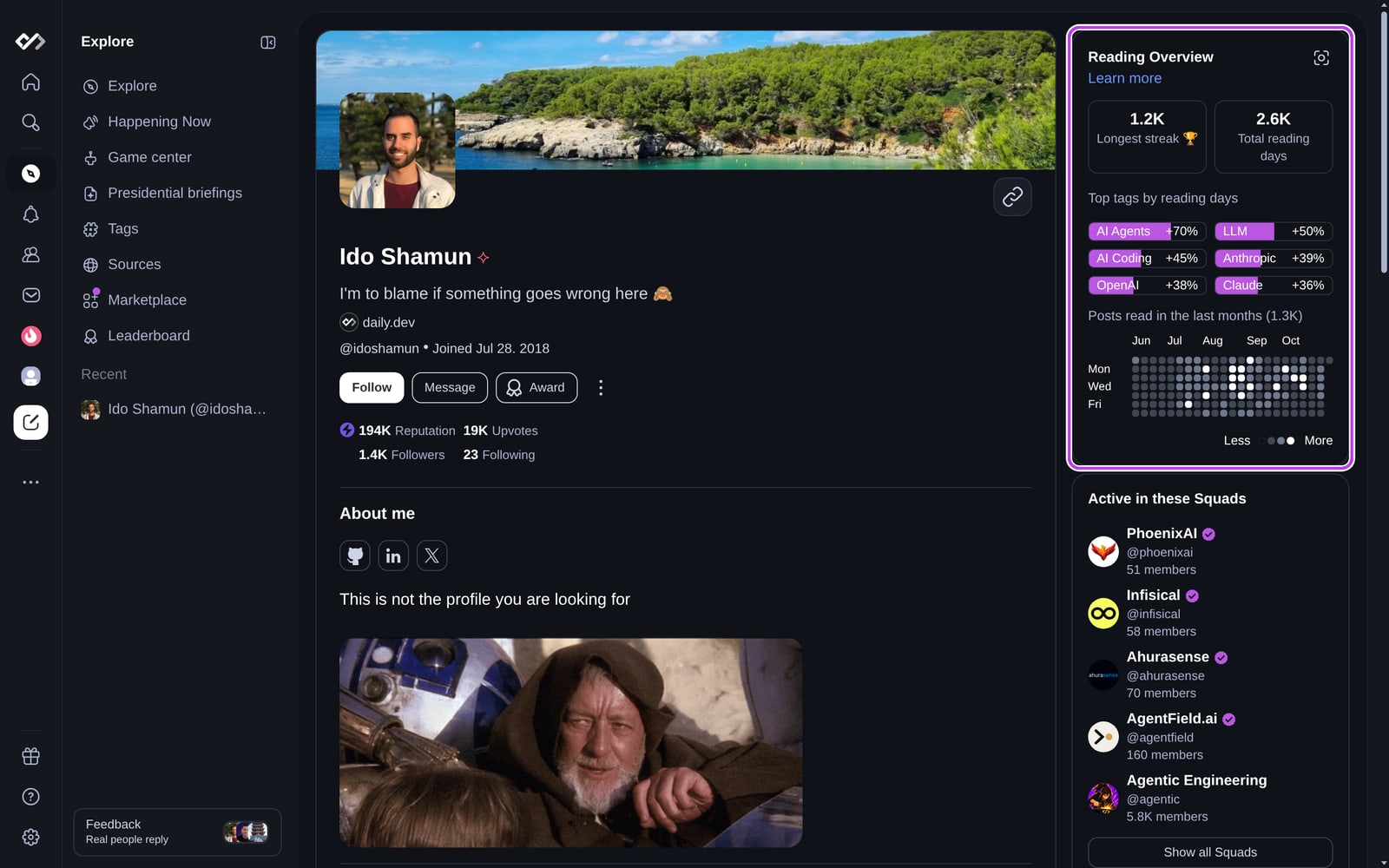
The profile header
The top of the page is the same for everyone:
- Cover image, profile picture, name, and headline.
- Verified company: the logo and name of your employer, if you verified your work email.
- Location, username, and the date you joined.
- Stats: your Reputation, the upvotes your posts and comments received, and your followers and following counts. Click the followers or following count to see the list.
Visitors also get Follow, Message, and Award buttons, plus a menu to block or report you. See Following and blocking users and Awards.
Sections on your profile
Below the header, your profile shows the sections you filled in. Empty sections are hidden from visitors.
- About me: a longer introduction written in Markdown, plus links to your GitHub, LinkedIn, X, website, and other profiles.
- Achievement Showcase: up to five achievements you picked to feature.
- Stack & Tools: the technologies you work with, grouped into sections. See Stack & tools.
- Activity: tabs for your Posts, Replies, and Upvoted posts. Only content in public sources and public Squads appears here.
- Work experience, education, and more: see Profile experiences.
Widgets in the right column
- Reading Overview: your longest reading streak, total reading days, your top tags by reading days, and a heatmap of the posts you read over the last few months.
- Active in these Squads: the public Squads you're a member of. On your own profile, this becomes a list of recommended Squads until you join some.
- Badges & Awards: your Top Reader badges and the Awards you received.
- Achievements: how many achievements you've unlocked. Click it to open the full list.
What only you see
When you open your own profile, a few extra tools appear:
- Preview mode: shows the page exactly the way visitors see it.
- Public profile & URL: copy your profile link or share it to X, WhatsApp, Facebook, Reddit, LinkedIn, or Telegram.
- Profile Activity: how many people viewed your profile this week, this month, and in total.
- Profile completion: what's still missing (picture, headline, experience level, work experience, education), with a link to each.
- Autofill your profile: upload your CV to fill in your experience automatically. See Profile experiences.
- An edit button (pencil icon) that opens your profile settings.
Editing your profile
To change your picture, cover, name, username, headline, location, About me, or links, open Settings → Profile (or click the pencil icon on your profile). See Account settings for every field.
You see changes right away. Visitors may see the previous version for about a minute while the page refreshes.
For performance data on the posts you publish, see Post and Squad analytics.
Your profile and Career Mode
Your profile, stack, and experience also help Career Mode match you with relevant roles. See Privacy and trust for what recruiters can and can't see.