

Search
Search helps you find a specific post, a source, a tag, a Squad or another developer on daily.dev.
Opening search
- Click the search icon in the left sidebar, or
- Press Cmd+K (Mac) or Ctrl+K (Windows, Linux).
A search box opens over the page: Search posts, squads, people, tags, or actions…. Start typing
(at least two characters) and results appear as you type, grouped into People,
Squads & sources, Tags and Posts. Use the filters at the top (Actions, Posts,
Squads, People, Tags) to search one type only.
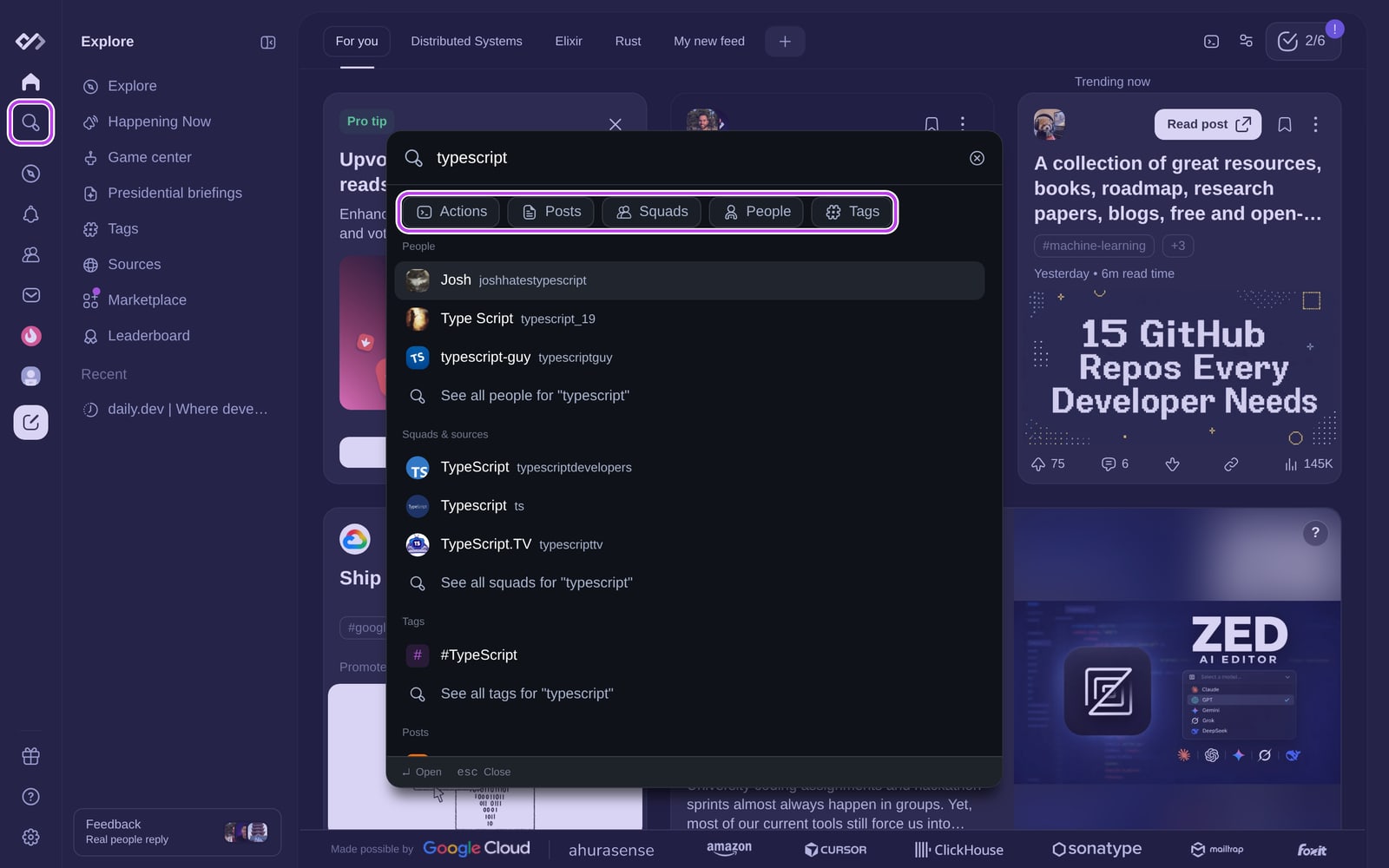
- Select a result to open it directly.
- Select See all … for "…" to open the full results for that type.
- Press Enter on Search posts for "…" to open the full post results.
- Press Esc to close.
The same box also runs actions. With nothing typed, it lists shortcuts such as Go to For you,
Go to Bookmarks or Go to History.
The search results page
Full results open at daily.dev/search?q=….
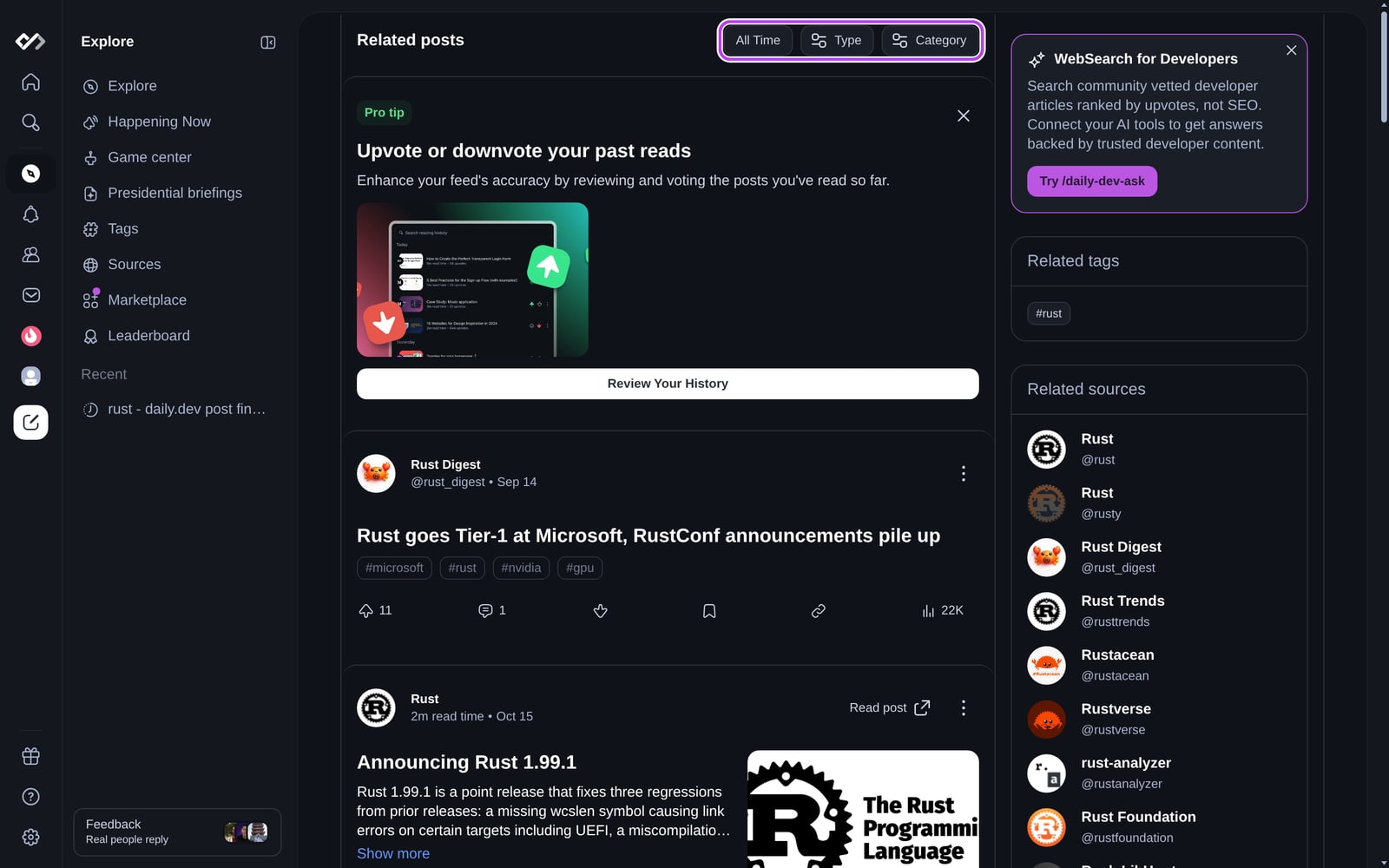
- Related posts: the matching posts. Use the filters at the top to narrow them:
- Time: All Time (default), Today, Yesterday, Last 7 Days, Last 30 Days,
Last Month, This Year or Last Year - Type: articles, shared posts, posts written on daily.dev, videos and collections
- Category: news, tutorials, opinions, releases and the other
post types
- Time: All Time (default), Today, Yesterday, Last 7 Days, Last 30 Days,
- Related tags, Related sources and Related users appear on the right on larger screens.
You can follow users directly from the list.
From a See all link you get a single list of matching Squads, Sources, People or
Tags instead, with tabs to switch between them.
How matching works
- Posts match on their title and summary. Every word you type has to appear, and partial words
count (kubefindskubernetes). - Posts whose title matches rank above posts that only match in the summary. Within that, popular and
recent posts rank higher. - Search covers articles, shared posts, posts written on daily.dev, YouTube videos and collections.
Polls don't appear in search. - People search needs at least three characters.
- Search shows all matching public posts, including posts from tags or sources you
blocked in your feed. Posts you hid don't appear.
Searching inside a Squad, your bookmarks or your history
- Squads: on a Squad page, use its search to find posts shared in that Squad, including private
ones if you are a member. - Bookmarks: use Search bookmarks on the Bookmarks page.
- History: use the search field on your Reading history page.
Tips for better results
- Use words you'd expect in the title (
vite vs webpack, not justbundler). - For everything on a topic, open the tag page instead (for example
#typescriptfrom the
Tags results). - Looking for a person? Search for their name or username.
- Looking for a post you already read? Check your reading history or
bookmarks. - Can't find a source? Suggest a new source.
- Want answers from developer content inside your AI coding tool? See
Point your agent at daily.dev instead of web search.
Frequently asked questions
Posts, people, tags, Squads and sources, all from the same search box. Results are grouped by type, and each group has a "See all" link.
Spotted something to fix? Contact us