

DevCard
Your DevCard is a shareable card that shows your daily.dev activity: your reputation, your longest reading streak, how many posts you've read, your top tags, and the sources you read most. Share it on social media with #DevCard, embed it in your GitHub README, or use it as your X header.
Creating your DevCard
- Open the profile menu and choose DevCard, or go to daily.dev/devcard.
- Click Generate now.
- Choose Vertical or Horizontal.
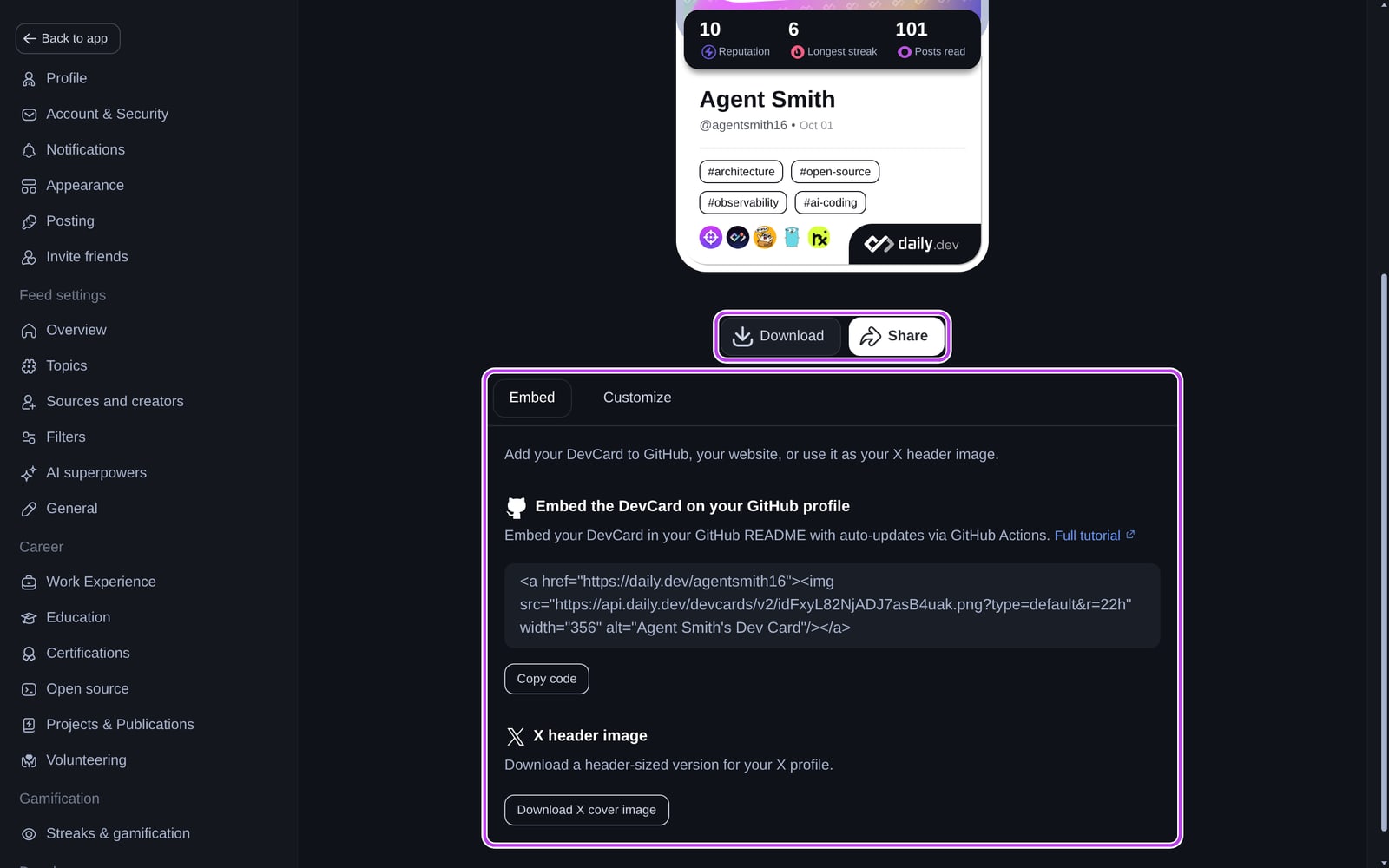
Under the card:
- Download saves the card as an image.
- Share opens your device's share menu, or copies a link to your profile.
Embedding your DevCard
The Embed tab has two options:
- Embed the DevCard on your GitHub profile: click Copy code and paste it into your GitHub profile README or your website. The image links to your daily.dev profile and refreshes with your latest stats. See the full tutorial.
- X header image: click Download X cover image to get a header-sized version for your X profile.
Customizing your DevCard
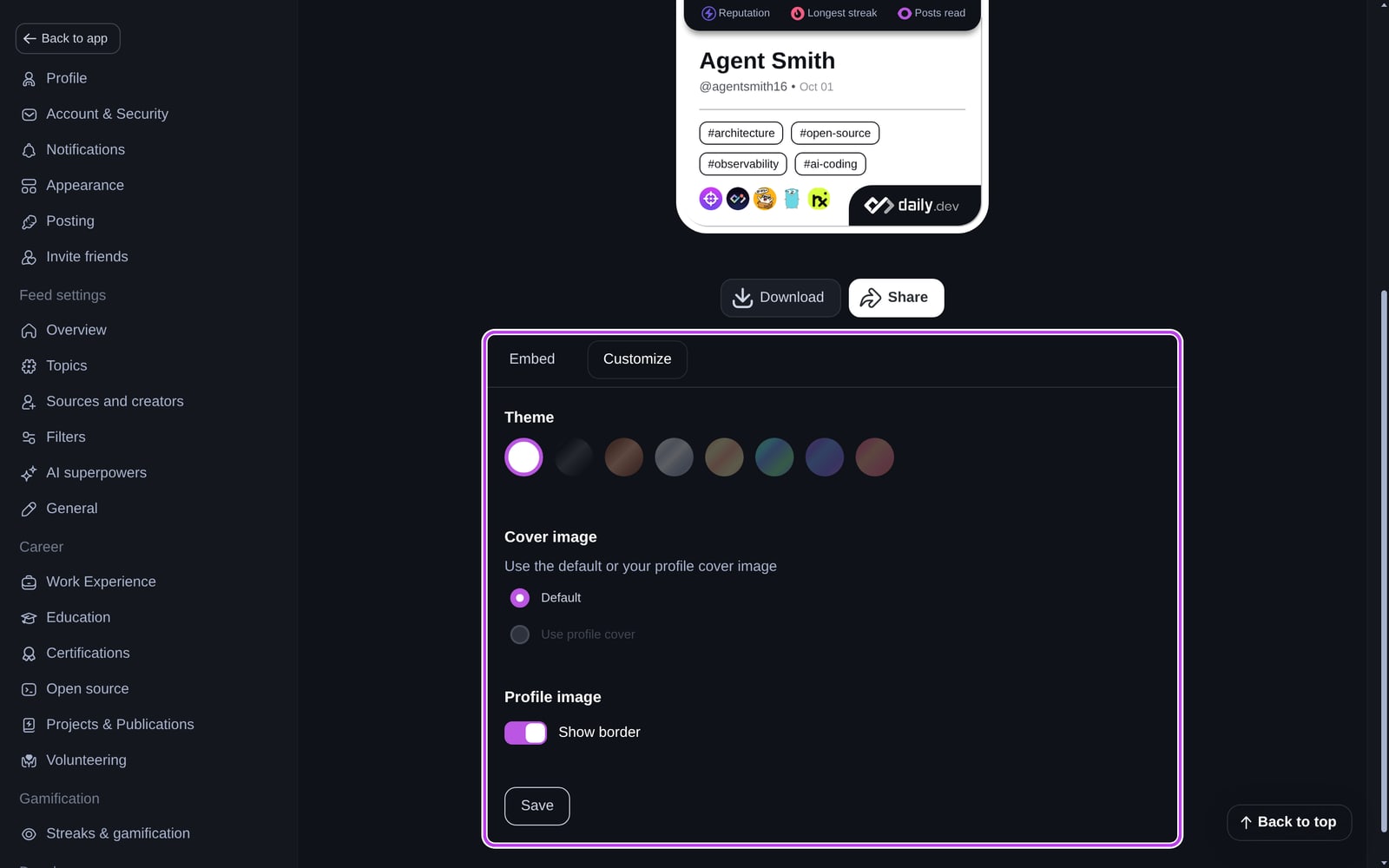
The Customize tab lets you change:
- Theme: themes unlock as your reputation grows.
- Cover image: the default cover, or your profile cover (Use profile cover needs a cover on your profile).
- Profile image: turn Show border on or off.
Click Save when you're done. Unsaved changes are lost when you leave the page. Downloading the card also saves your current choices.
| Theme | Reputation needed |
|---|---|
| Default | 10 |
| Iron | 20 |
| Bronze | 50 |
| Silver | 100 |
| Gold | 500 |
| Platinum | 1,000 |
| Diamond | 5,000 |
| Legendary | 10,000 |
What's on your DevCard
- Reputation: your current reputation.
- Longest streak: your best reading streak. It shows 0 if you've hidden reading streaks.
- Posts read: how many posts you've read on daily.dev.
- Tags and sources: your top tags and the sources you read most over the last year.
The image is generated from your live stats. Embedded copies can take up to an hour to show changes.
Frequently asked questions
Open the profile menu and choose DevCard, or go to daily.dev/devcard. Click Generate now, then pick a layout and theme.
Spotted something to fix? Contact us