

Notification settings and preferences
daily.dev lets you choose which updates you get and where they arrive. Open Settings → Notifications. The page has two tabs:
- Notifications: in-app notifications (the bell) and push notifications.
- Email: the emails we send you.
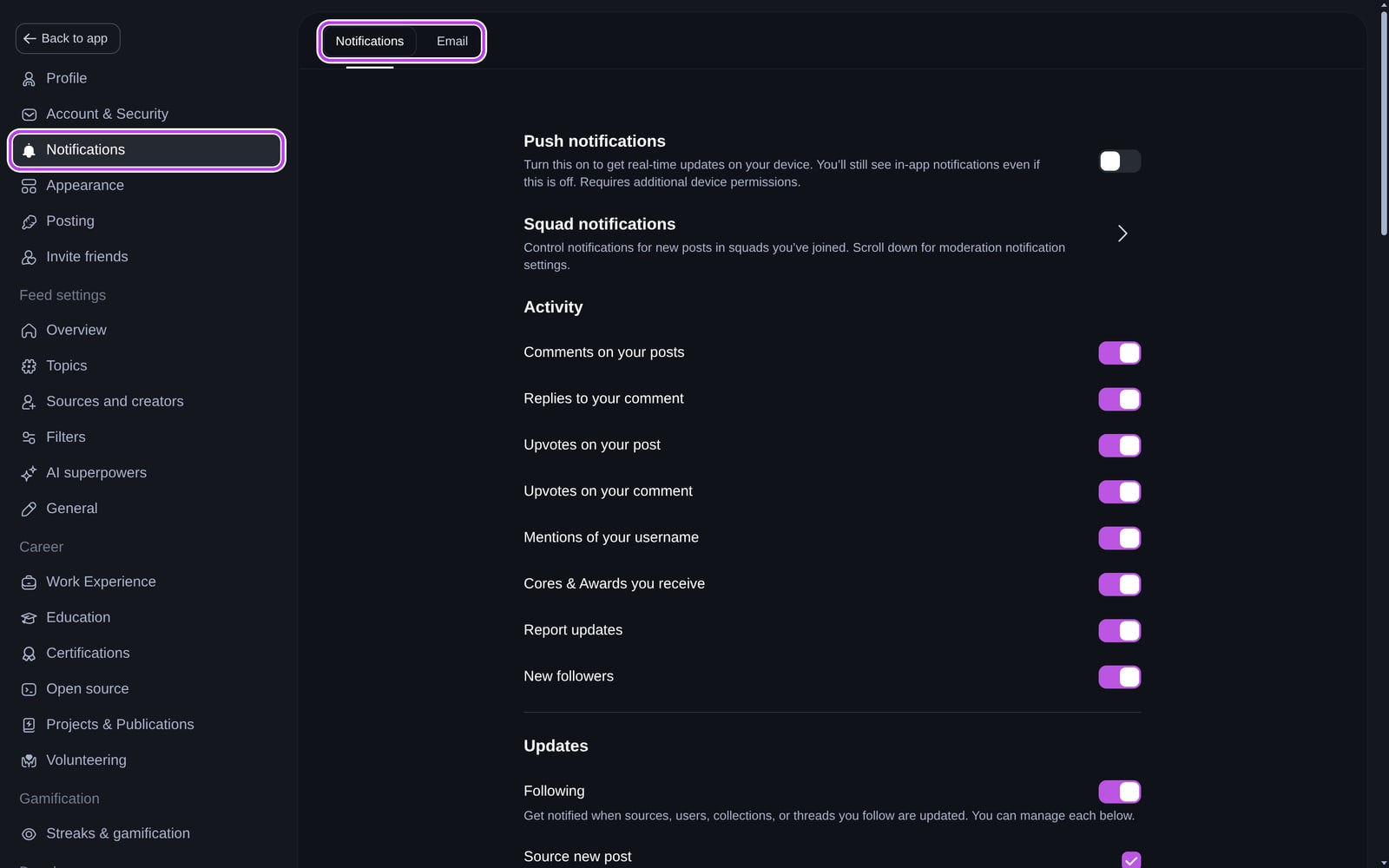
Push notifications
Turn on Push notifications at the top of the Notifications tab, then allow notifications when your browser asks. Push notifications follow your in-app settings: if a type is off in the app, you don't get a push for it either. If you have daily.dev open, you see the notification in the app instead of a push.
If you blocked notifications in your browser, you'll need to allow them again in your browser's site settings.
The Notifications tab
- Squad notifications: choose which Squads notify you about new posts.
- Activity: comments on your posts, replies to your comments, upvotes on your posts and comments, mentions of your username, Cores & Awards you receive, report updates, and new followers.
- Updates: Following covers new posts from sources, users, and collections you follow, read it later reminders, and poll results. You can turn each one on or off.
- Streaks: Notify me before my streak expires, Restore broken streak, Streak freeze used, and Out of streak freezes. See Reading streaks.
- Reading reminder: a daily reminder at a time you choose. See Reading reminders.
- Achievements: Top Reader badges, DevCard, and post analytics updates.
- Friends you invite: when someone joins with your invite link.
- Personalized job matches: roles that fit your Career Mode preferences.
- Personalized digest and Presidential briefings: see Digests and briefings.
- Creators: source suggestions, submitted post reviews, Squad role changes, post analytics, and creator achievements.
- Direct messages: Allow direct messages, new message requests, and accepted message requests. Manage blocked users opens your blocked list.
- Live chats: when the daily.dev team opens a live chat on a post or topic.
- Looking for group: people reaching out about your post, help requests that match what you help with, and reminders before your post expires.
- Squad moderation: moderation notifications for the Squads you moderate, with settings per Squad.
Some sections only appear when the feature is available to you.
The Email tab
The Email tab has the same Activity and Updates groups, plus:
- Streaks, Achievements, Friends you invite, Creator updates, Creator achievements, and Personalized job matches.
- AI Briefings: the personalized digest and Presidential briefings.
- Billing: emails about in-app purchases.
- From daily.dev: new user welcome, major announcements, and community and marketing emails. Critical system alerts about security and your account are always sent.
- Looking for group.
- Advanced: Unsubscribe from all email notifications. After that, turn on the emails you want back one by one.
The unsubscribe link in our emails opens your email subscription preferences.
Muting a post, thread, or Squad
You can silence one noisy conversation without turning a type off everywhere. Open the ⋯ menu on a notification and choose:
- Mute this thread for replies to a comment.
- Turn off notifications from this post for new comments on a post.
- Mute new member notifications for a Squad you moderate.
To get notified about new posts from a source or a person, use the bell on their page. Tags don't have notifications: following a tag only shapes your feed. See also the Following feed.
Reading reminders
Turn on Reading reminder and choose What's the ideal time to send you a reading reminder? You get a push notification at that time every day. If we can't reach you (for example, push is off on all your devices), the setting shows a prompt to turn notifications on.
The streak reminder (Notify me before my streak expires) is separate: it arrives at 20:00 on workdays, only if you haven't read yet.
Digests and briefings
- Personalized digest: a tailored email with the must-read posts for you. Choose daily or weekly delivery and your preferred send time.
- Presidential briefings (Plus): an AI-written briefing of what's changing in your areas of interest. See Presidential briefing.