

Appearance settings
Everything about how daily.dev looks and behaves lives under Settings > Appearance. Open it from your profile menu: click your avatar, choose Settings, then Appearance.
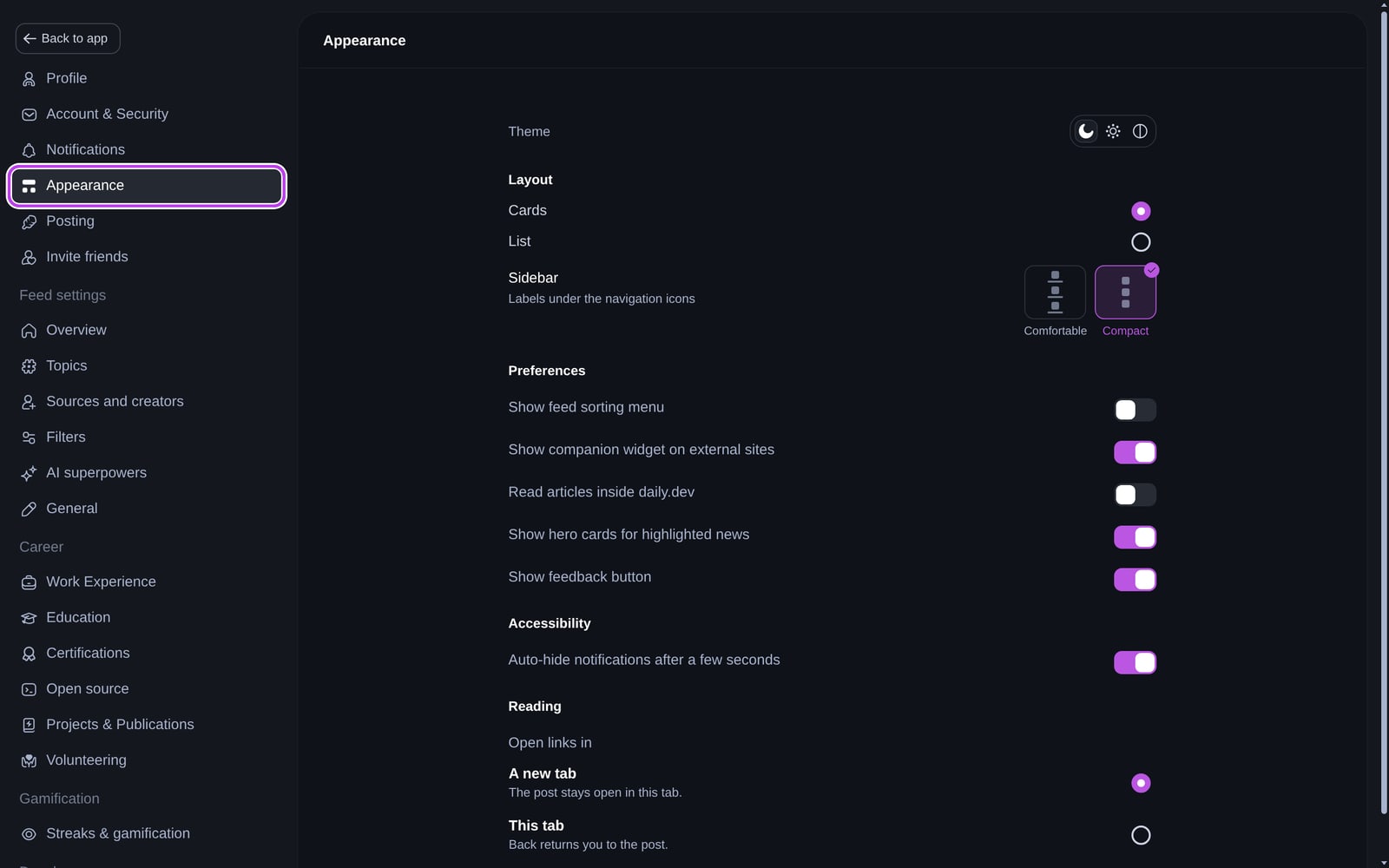
Theme
Choose between three themes with the icons next to Theme:
- Dark (moon icon), the default.
- Light (sun icon).
- Auto (half-circle icon), which follows your operating system's light or dark setting.
You can also switch themes straight from your profile menu.
Layout
These options appear on desktop screens:
- Cards shows posts as cards in a grid, with cover images. This is the default.
- List stacks posts in a single column, so you can scan more titles at once.
- Sidebar: choose Comfortable to show labels under the navigation icons, or Compact for icons only.
On phones and tablets, the feed picks the layout that fits your screen.
Preferences
| Setting | What it does |
|---|---|
| Show feed sorting menu | Adds a sort menu to your For you and popular feeds so you can sort by Recommended or By date. Off by default. |
| Show companion widget on external sites | Shows the Companion widget on articles you open from daily.dev in the browser extension, so you can upvote, comment, and bookmark without coming back. |
| Read articles inside daily.dev | Opens articles in a reader inside daily.dev instead of on the original site. Available in Chrome and Edge, on tablet and desktop screens. |
| Show hero cards for highlighted news | Shows large cards for the biggest stories in your feed. |
| Show widgets above the feed | Shows the widget row above your feed, if you have it. |
| Show feedback button | Shows the Feedback button in the sidebar, so you can reach the daily.dev team. |
Accessibility
- Auto-hide notifications after a few seconds: toast messages (like "Post bookmarked") disappear on their own. Turn this off to keep them on screen until you close them.
Reading
Under Open links in, choose where posts open when you click Read post:
- A new tab: the post opens in a new tab and daily.dev stays open. This is the default.
- This tab: the post opens in the current tab, and Back returns you to daily.dev.
In the iOS and Android apps, the options are In daily.dev (the page opens over the post, with upvote, comment, and save close by) and In your browser.
Other settings that change your experience
- Reading streaks, quests, and other gamification: Settings > Streaks & gamification. See reading streaks.
- New tab shortcuts (extension): profile menu > Shortcuts. See adding shortcuts.
- What's in your feed: Settings > Feed settings. See setting up your feed.
- Notifications: see notification settings.
Frequently asked questions
Open your profile menu and pick the sun icon, or go to Settings > Appearance and choose it next to Theme. The moon icon is dark mode, and the third icon (auto) follows your system setting.
Spotted something to fix? Contact us