> ## Documentation Index
> Fetch the complete documentation index at: https://docs.daily.dev/llms.txt
> Use this file to discover all available pages before exploring further.
---
title: "Reading history"
url: https://docs.daily.dev/reading-history/
description: "Access your daily.dev reading history to revisit posts, bookmark, upvote, or share. Learn how to make the most of this feature to stay organized and never lose track of valuable content."
lastUpdated: "2024-10-21T17:22:36+02:00"
---
 ## How does reading history work?
At daily.dev, we understand the challenge of keeping up with engaging content in a constantly changing feed. The **Reading History** feature lets you track every post you've read, so you never lose sight of valuable content. When you read a post, it may disappear from your feed after a few minutes due to the feed algorithm. With Reading History, you can easily revisit any post, even if it's no longer in your feed.
Additional options available within reading history:
- Save the post in your bookmarks.
- Upvote or downvote the post.
- Share the post.
- Remove the post from your reading history.
## How to access your reading history
Accessing your reading history on daily.dev is straightforward. Here’s how:
1. **Direct URL Access**: Visit your reading history directly at [https://app.daily.dev/history](https://app.daily.dev/history). This page lists all the posts you’ve read, organized by date and time.
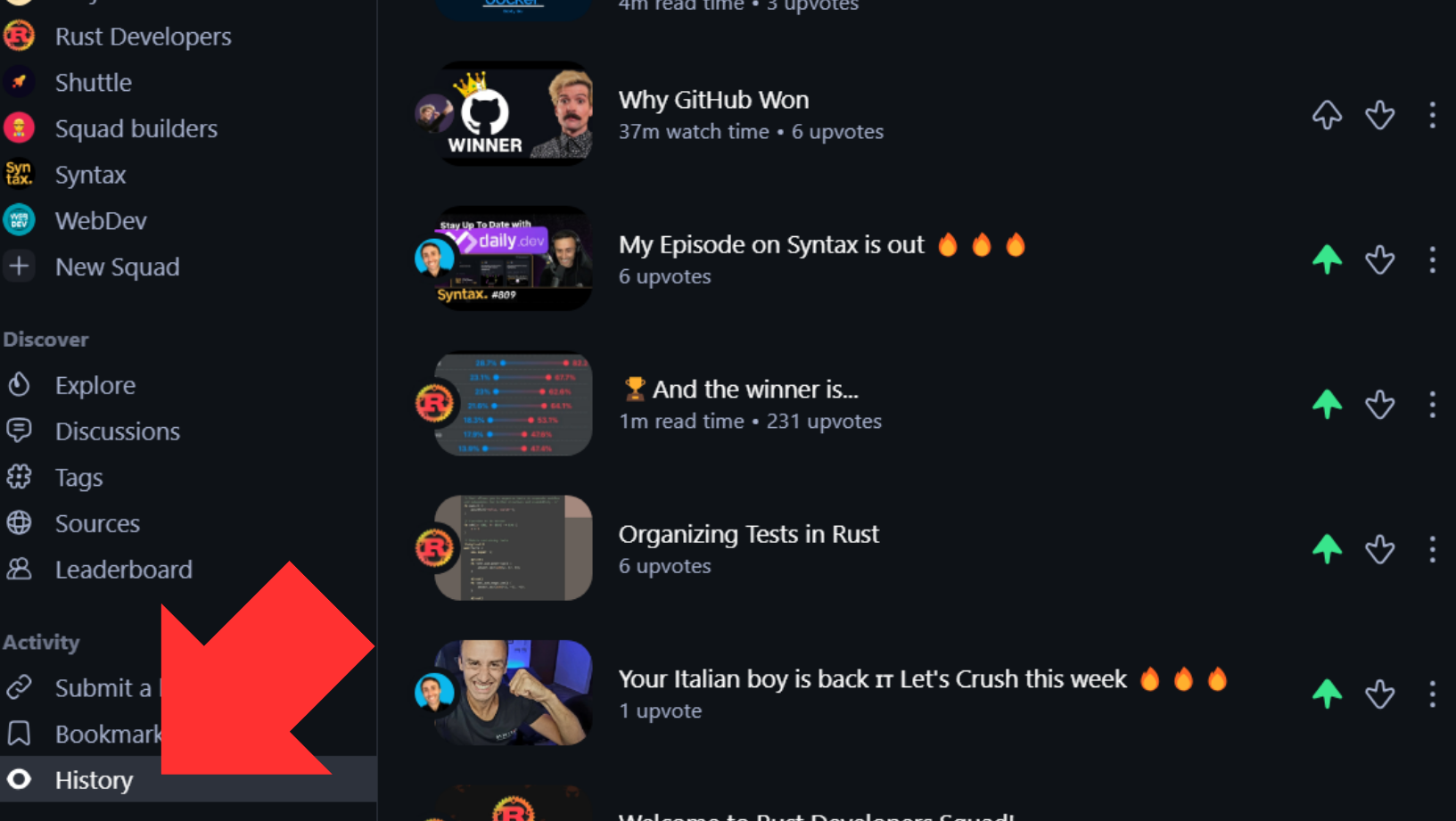
2. **Sidebar Access**: Click the **"History"** button in the sidebar. This brings you instantly to your reading history page, where you can view all previously read posts.
## How does reading history work?
At daily.dev, we understand the challenge of keeping up with engaging content in a constantly changing feed. The **Reading History** feature lets you track every post you've read, so you never lose sight of valuable content. When you read a post, it may disappear from your feed after a few minutes due to the feed algorithm. With Reading History, you can easily revisit any post, even if it's no longer in your feed.
Additional options available within reading history:
- Save the post in your bookmarks.
- Upvote or downvote the post.
- Share the post.
- Remove the post from your reading history.
## How to access your reading history
Accessing your reading history on daily.dev is straightforward. Here’s how:
1. **Direct URL Access**: Visit your reading history directly at [https://app.daily.dev/history](https://app.daily.dev/history). This page lists all the posts you’ve read, organized by date and time.
2. **Sidebar Access**: Click the **"History"** button in the sidebar. This brings you instantly to your reading history page, where you can view all previously read posts.
 With Reading History, you can effortlessly revisit valuable content, track your learning journey, and stay organized on daily.dev. Say goodbye to losing track of posts you’ve read, access them anytime from your profile!