> ## Documentation Index
> Fetch the complete documentation index at: https://docs.daily.dev/llms.txt
> Use this file to discover all available pages before exploring further.
---
title: "Advanced filtering"
url: https://docs.daily.dev/advanced-filtering-options/
description: "Explore advanced filtering options on daily.dev to personalize and optimize your feed based on content categories, language, and blocked items."
lastUpdated: "2025-07-24T18:30:38+03:00"
---
Unlock the full potential of your daily.dev feed with advanced content filtering options based on content categories.
## What are the advanced filtering options?
Why settle for basic filtering based on tags when you can have more control over your feed? Sometimes, posts may contain tags you follow, but the content might not be exactly what you're looking for. Configuring your feed based on content categories can help, as these categories are treated separately from the tags you follow.
## Configure your tags
To configure your tags, click on the "Feed Settings" button to open the feed options menu, as shown below:
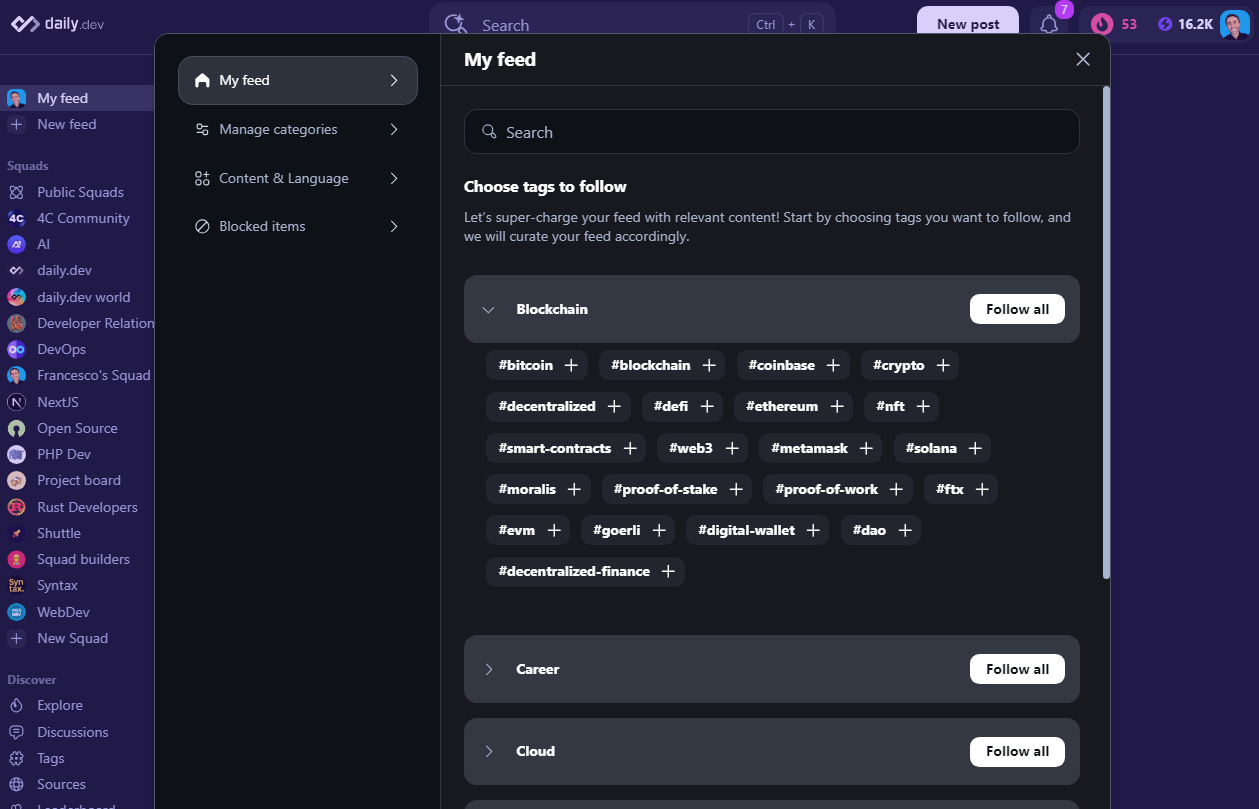
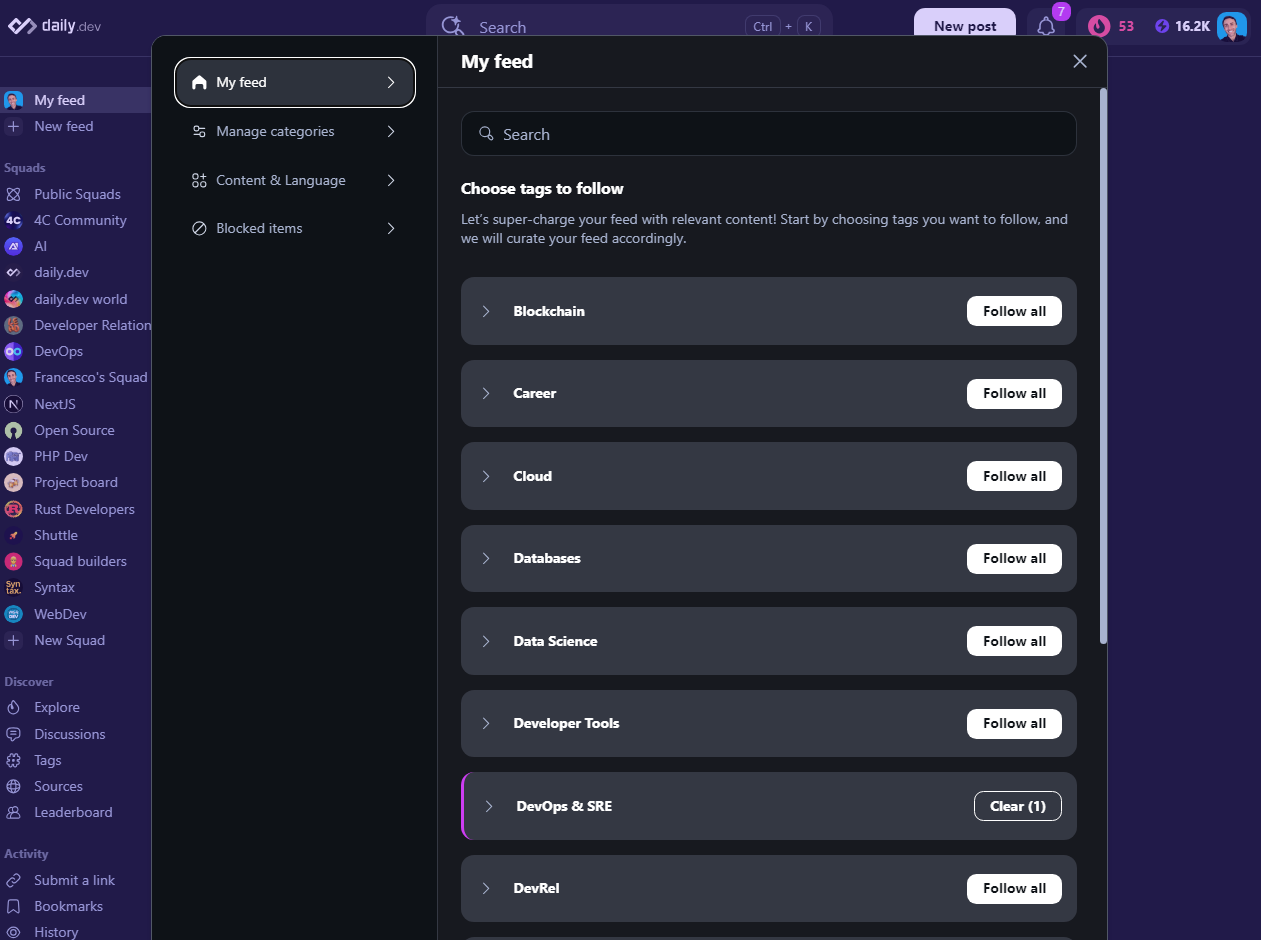 You can choose to follow all tags or only specific tags you're interested in. To do this, click on the "Follow all" button to follow all tags or expand the section by clicking the > icon next to the Tag group to follow only the tags you're interested in.
 ## Configure your content categories
Click on the "Feed Settings" button to open the feed options menu:
Choose "Manage Categories" from the feed filters menu, as illustrated below:
## Configure your content categories
Click on the "Feed Settings" button to open the feed options menu:
Choose "Manage Categories" from the feed filters menu, as illustrated below:
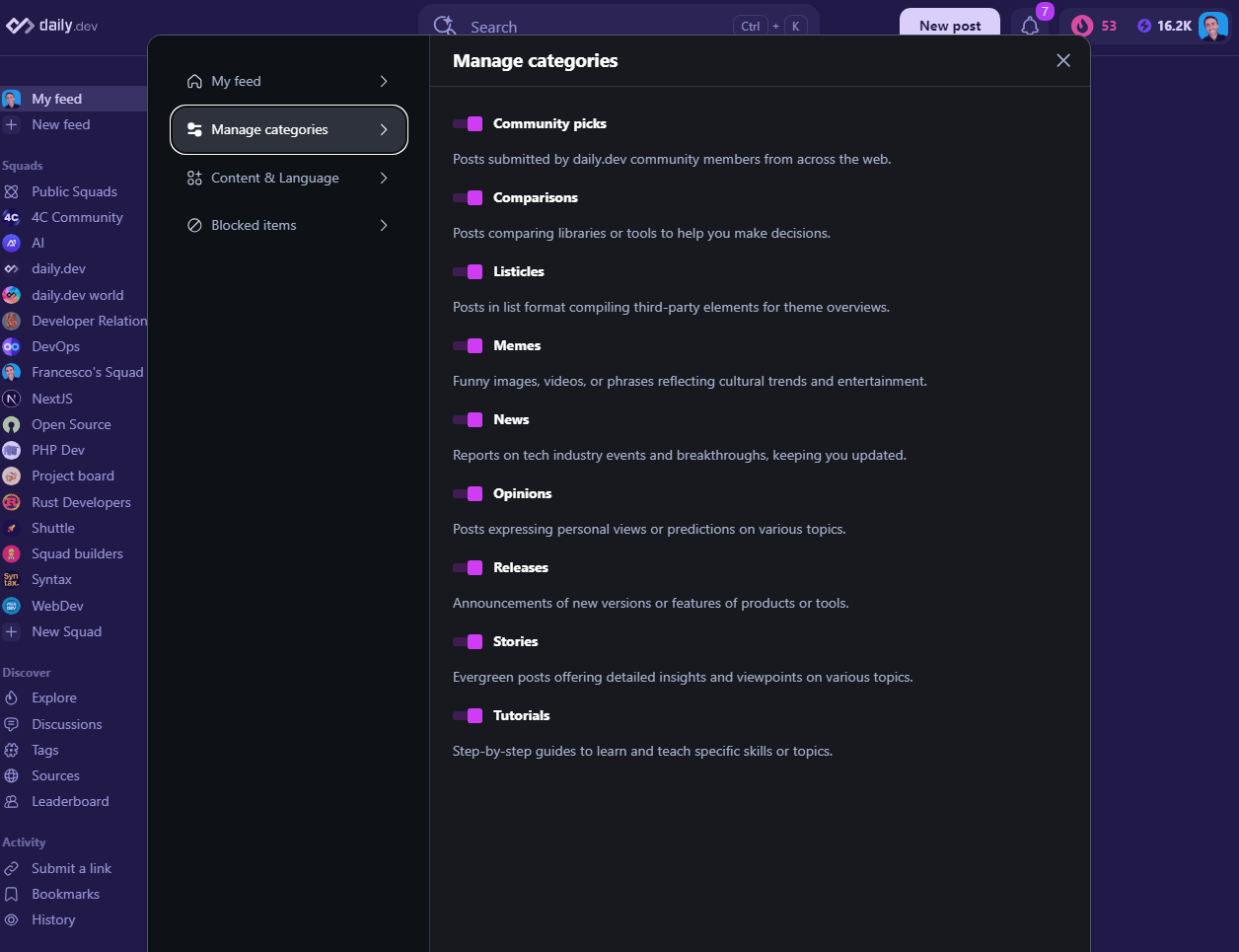 Once in the menu, you’ll find several on/off toggle switches that let you fine-tune your feed based on your preferences. These options include:
| Category | Description |
|---------------------|-----------------------------------------------------------------------------------------------------------------------------------------------------------------------------------------------------------------------------------------------|
| Community Picks | Community-contributed content (Note: Community Picks mechanism was sunset in 2025 - content is now contributed directly via "New Post"). [Learn more](/community-picks/) |
| Comparisons | Posts comparing libraries or tools to aid decision-making. |
| Listicles | Posts containing lists, such as "10 best libraries for X" or "5 ways to improve Y". |
| Memes | Humorous posts or memes. |
| News | Tech industry news. |
| Opinions | Posts with opinions or personal experiences. |
| Releases | Posts with release notes or announcements. |
| Stories | Posts with stories or personal experiences. |
| Tutorials | Step-by-step guides or how-to posts. |
Use these toggle switches to easily configure your content categories and personalize your daily.dev feed.
## Content and language filtering
Filter your feed based on content language by clicking on the "Feed Settings" button to open the feed options menu:

## Blocked items
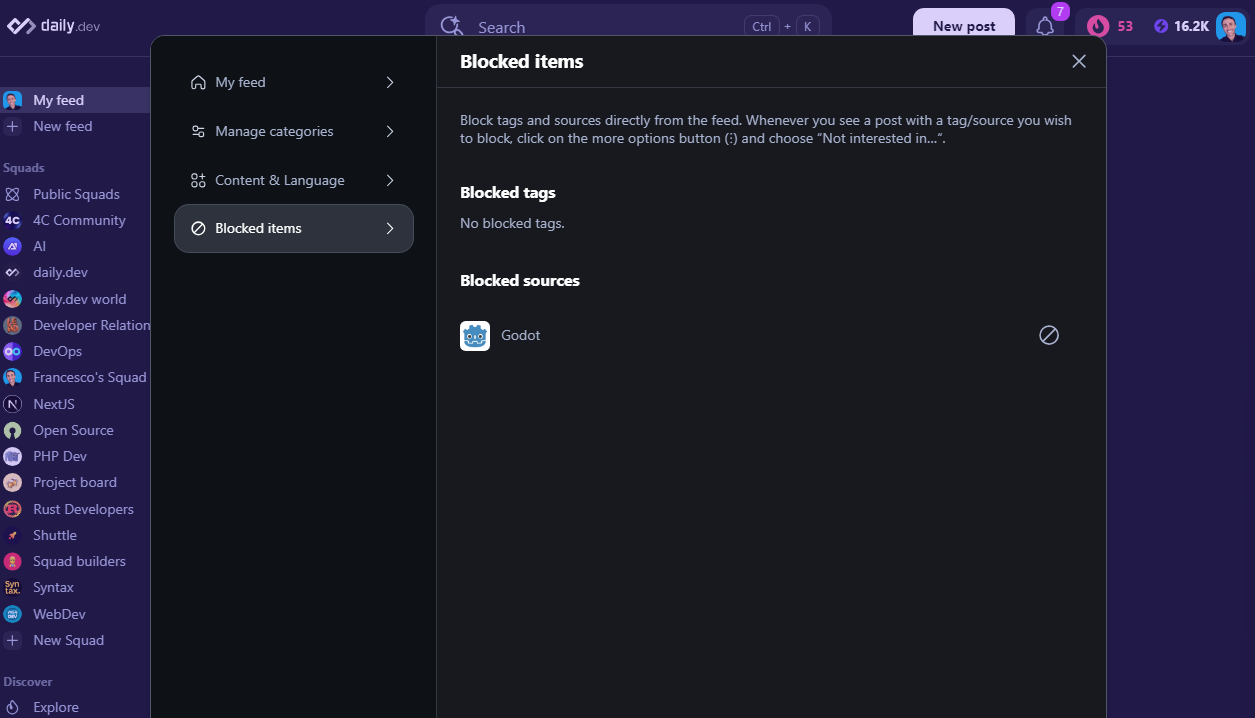
In the Feed Settings menu, access the "Blocked Items" section to see all sources and tags you have blocked.
If you want to block a specific source or tag, refer to our [guide on blocking sources or tags](/blocking-tags-sources/).
Once in the menu, you’ll find several on/off toggle switches that let you fine-tune your feed based on your preferences. These options include:
| Category | Description |
|---------------------|-----------------------------------------------------------------------------------------------------------------------------------------------------------------------------------------------------------------------------------------------|
| Community Picks | Community-contributed content (Note: Community Picks mechanism was sunset in 2025 - content is now contributed directly via "New Post"). [Learn more](/community-picks/) |
| Comparisons | Posts comparing libraries or tools to aid decision-making. |
| Listicles | Posts containing lists, such as "10 best libraries for X" or "5 ways to improve Y". |
| Memes | Humorous posts or memes. |
| News | Tech industry news. |
| Opinions | Posts with opinions or personal experiences. |
| Releases | Posts with release notes or announcements. |
| Stories | Posts with stories or personal experiences. |
| Tutorials | Step-by-step guides or how-to posts. |
Use these toggle switches to easily configure your content categories and personalize your daily.dev feed.
## Content and language filtering
Filter your feed based on content language by clicking on the "Feed Settings" button to open the feed options menu:

## Blocked items
In the Feed Settings menu, access the "Blocked Items" section to see all sources and tags you have blocked.
If you want to block a specific source or tag, refer to our [guide on blocking sources or tags](/blocking-tags-sources/).